

You need tools that make remote collaboration feel effortless and professional. Consolto brings scheduling, live video, web chat, AI assistants, and payments into a single interface so you can spend less time switching tabs and more time closing deals and helping clients. Quick setup, seamless workflows, and a polished visitor experience mean you get a hub that scales from a solo freelancer to a growing team while keeping conversations and bookings in one place.
TL;DR
Feature | Verdict |
|---|---|
Ease of Use | ⭐️⭐️⭐️⭐️⭐️ – ⏱️ Fast setup and a clean dashboard make it easy to get running and keep things organised. |
Features & Workflows | ⭐️⭐️⭐️⭐️⭐️ – 🎯 All-in-one hub for scheduling, chat, video calls, payments and handoffs that reduces friction in customer interactions. |
AI Assistant | ⭐️⭐️⭐️⭐️ – 🤖 Useful for handling FAQs and basic routing; you should plan for credit limits and optimisation for heavy traffic. |
Support & Product Momentum | ⭐️⭐️⭐️⭐️⭐️ – 🙋 Responsive team that ships updates and listens to feedback, which helps you rely on ongoing improvements. |
Integrations & Mobile | ⭐️⭐️⭐️ – 📱 Solid mobile access and calendar features, but Outlook/Office365 integration and mobile UI refinements are still in progress. |
Consolto
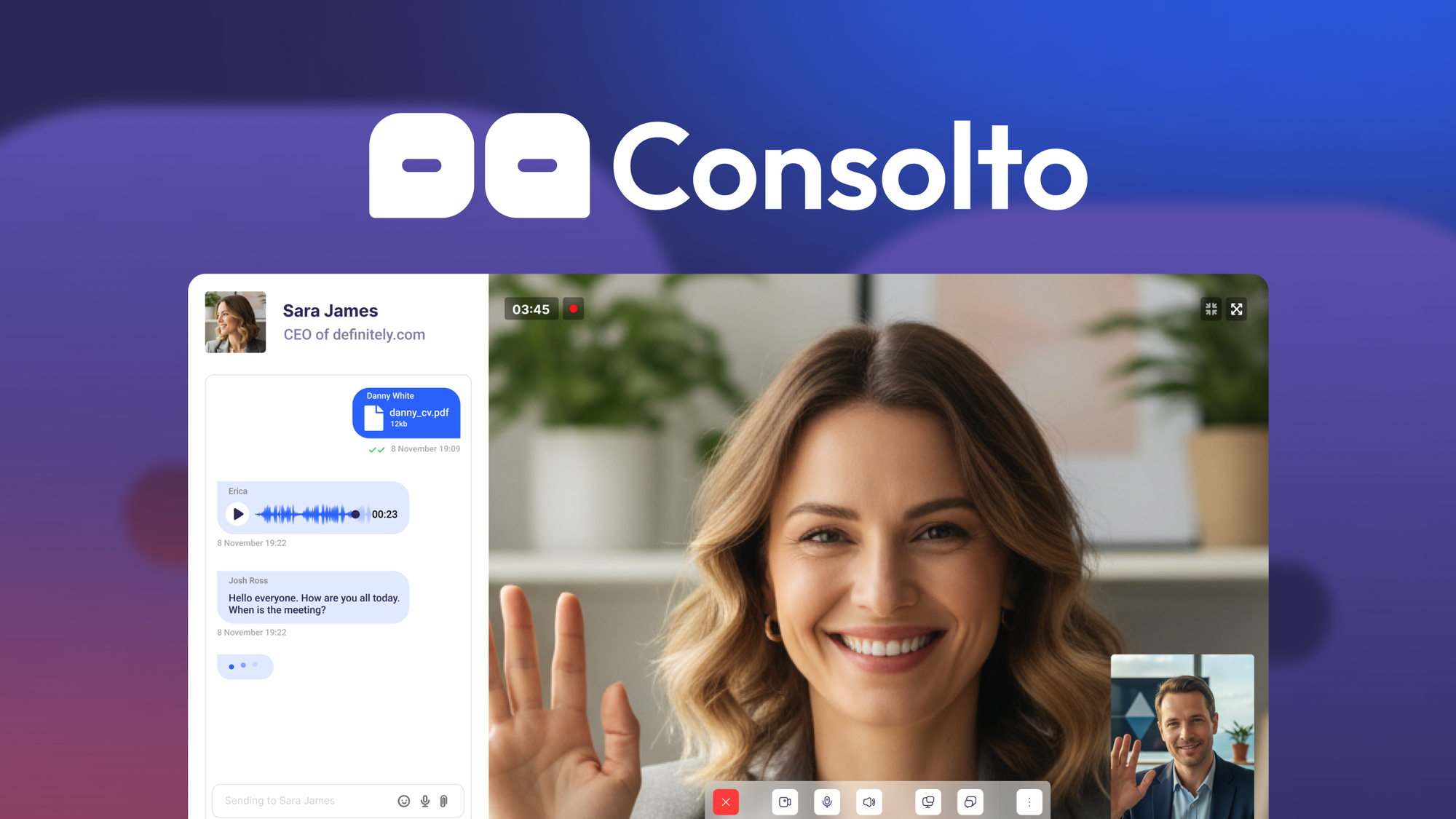
You get a single hub for bookings, chat, AI-assisted responses and video calls so you don’t have to jump between a dozen tools. Setup is quick — you can have the widget live on your site in minutes — and the dashboard keeps things tidy: calendar, chat, video, payments and basic AI all work from the same place.
For day-to-day use, it’s great for handling customer questions, booking consultations, and running quick support calls. For special occasions like product launches or live demos, you can route visitors straight into a video session or collect payments after a consultation.
If you want something that looks professional without a steep learning curve, Consolto is worth trying as a central hub for client-facing workflows.
What People Say
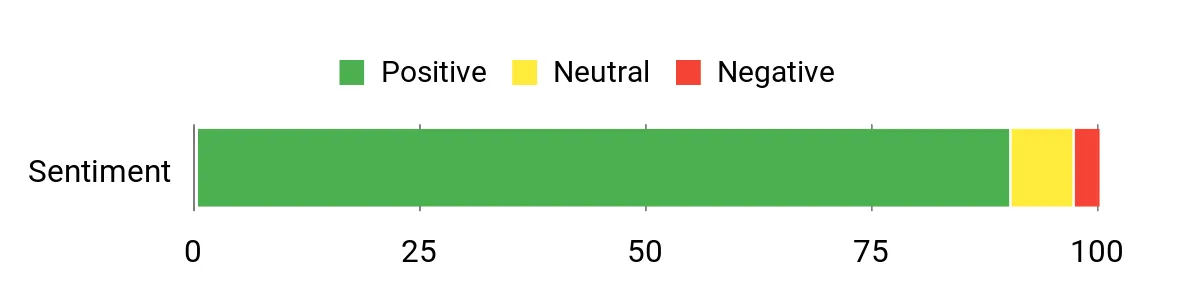
Customers frequently mention how fast and easy the setup is, and how having chat, scheduling and calls in one interface improves professionalism and conversion. Common notes: the AI helps with basic questions, the dashboard is tidy, and support is quick to respond. A few users mention mobile app polish and specific integrations as areas to watch.
Overall Sentiment: Positive
🗣️ Avinash.Katta
Lightning-fast setup and an intuitive dashboard — the widget was live in under 10 minutes. Everything lives in one place (calendar, calls, payments) and the AI can handle FAQs after a bit of training. Support is responsive and even implements user feature requests.
🗣️ masgoof
Clear interface that makes booking, AI chat and live calls obvious to visitors. It’s become a go-to hub for support, sales and scheduling, and the team is very active with webinars and support.
Pros | Cons |
|---|---|
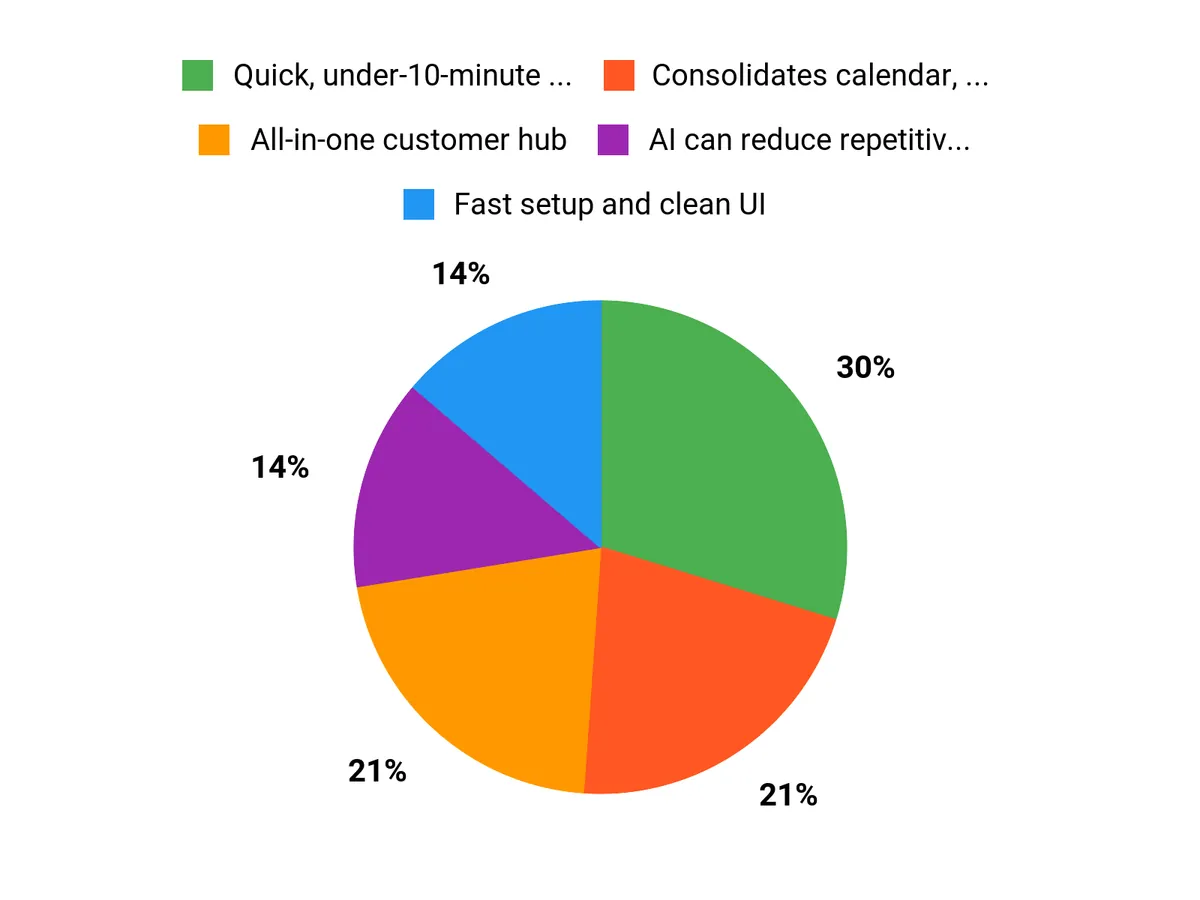
✅ Quick, under-10-minute setup for the widget | ❌ Mobile app UI could use polish on some platforms |
✅ Consolidates calendar, chat, video and payments | ❌ Some advanced features (like extensive recording or integration depth) can be tier-dependent |
✅ AI can reduce repetitive questions after training | ❌ Office 365/Outlook calendar integration has been noted as delayed by some users |
✅ Helpful and active support team |
Usability
Aspect | Ease Level | Notes |
|---|---|---|
Setup | Easy | Widget can be added and configured quickly with a clean onboarding flow. |
Daily Workflow | Easy | Calendar, chat and calls are accessible from one dashboard, reducing tab switching. |
Advanced Features | Moderate | AI training and custom workflows require some time to optimize. |
Mobile Experience | Moderate | Mobile apps work but some users report the UI needs more polish. |
Performance
Generally responsive for video and chat. AI replies have been reported around ~9 seconds today with plans to speed that up; core functions like scheduling and call setup are fast.
Integrations
Software | Integration Quality |
|---|---|
Google Calendar | Excellent |
Office 365 / Outlook | Limited / Planned |
Payment Links (built-in) | Good |
Other CRMs (via API/webhooks) | Moderate |
Security
Feature | Protection Level |
|---|---|
Secure Video Sessions | High |
Role & Access Controls | Moderate |
Call Recording Controls | Variable |
Data Retention Settings | User-configurable |
Reliability
Stable platform with consistent uptime reported by users and responsive support for issues. Some feature gaps are being actively addressed by the team.
Collaboration
Scheduling, live video and audio, screen sharing, AI chat handoffs, and in-session payment links — all designed to keep you and your clients on the same page.
Key Benefits
- All-in-one customer hub
- Fast setup and clean UI
- AI-assisted chat that hands off to humans
- Built-in scheduling and video
- Responsive customer support
Rating: 4.92 (total: 275+)
FAQ
Why Choose Consolto For Remote Collaboration In 2025?
You should consider Consolto because it acts as an all-in-one hub where scheduling, web chat, AI triage, video calls, screen sharing, and payments flow without awkward context switches. You can have the widget live on your site in minutes, the interface is designed to look professional for clients, and the team is known for rapid support and responsive feature updates. For practical use, train the AI with your FAQs and service details so it handles routine inquiries and hands off complex issues to you, use the built-in scheduling to reduce no-shows, and attend the vendor webinars or support chats to speed up onboarding.
How Does Consolto Handle AI, Credits, And Performance?
You’ll find Consolto’s AI helpful for first-touch conversations, but it runs on credits that vary by plan so you should monitor consumption in the dashboard and optimize training to reduce unnecessary queries. Expect current response times in 2025 to be noticeable on some workflows — the team is actively improving latency — and if you need faster or more controllable behavior, ask support about advanced options like custom model keys or performance tuning. Practical tips: seed the AI with concise, high-value content to cut token usage, watch your monthly credit use after launch traffic spikes, and set clear handoff rules so humans take over when conversations go beyond the AI’s scope.
What Should You Know About Integrations, Recordings, And Mobile Use?
You should verify calendar and tool integrations before committing: Google calendar is supported and the vendor has publicly slated Office365/Outlook integration on the roadmap, so if your team relies on Outlook you may want to confirm timing with support. Recording limits exist on lower tiers (0–100 recordings for some plans), so if you need permanent archives, plan for external storage or a higher plan and create a retention routine to avoid hitting limits. The mobile apps let you take calls on the go, but some users report the Android UI could use polish, so test key workflows on mobile early, use desktop for admin-heavy setup, and lean on the Consolto support team or community for tips and quick fixes.
Why Customers Choose Consolto
You choose Consolto because it gets you into secure, high-quality video sessions instantly in the browser with built-in co-browsing, screen sharing and simple scheduling so you spend less time on setup and more on work. Customers also prefer it for its smooth integrations, AI-assisted features that streamline notes and follow-ups, and reliable performance that scales with your team and client needs.
Wrapping Up
Consolto gives you a single, polished workspace for client interactions: scheduling, video calls, chat, AI triage, and payments all flow together so you don’t lose context between touchpoints. If you value speed of setup, a professional customer-facing widget, and an actively improving product, Consolto can reduce your tool sprawl and improve conversion and support efficiency. Be mindful of practical limits like call recording quotas on lower tiers, AI credit usage, and pending Outlook/Office365 calendar enhancements; if those matter a lot to you, plan accordingly. Overall, Consolto is a strong choice when you want a unified, evolving platform that helps you run meetings, capture leads, and deliver professional interactions without juggling multiple apps.
This Roundup is reader-supported. When you click through links we may earn a referral commission on qualifying purchases.