

You need content that sounds like your brand, ranks in search, and ships on schedule. With so many channels to manage, staying consistent can be the difference between a confused audience and a memorable brand.
This guide walks you through how an AI-first platform can help you scale content while keeping your voice intact. Expect practical tips on using templates, brand identities, SEO outlines, and built-in publishing so you can save time and keep quality high.
If you want fewer rewrites, clearer messaging, and a smoother publishing workflow, this guide is for you.
TL;DR
Feature | Verdict |
|---|---|
Ease of Use | ⭐️⭐️⭐️⭐️ ⏱️ – Clean, intuitive interface that speeds up planning and drafting. |
Content Quality | ⭐️⭐️⭐️ ✍️ – Great for quick drafts and short-to-mid form content; expect to edit for premium long-form pieces. |
SEO Tools | ⭐️⭐️⭐️⭐️ 🔍 – SERP Beater and keyword clustering help structure posts for search intent and relevance. |
Workflow & Publishing | ⭐️⭐️⭐️⭐️ 🔁 – Built-in planner, repurposing, and direct publish options streamline multi-channel distribution. |
Reliability & Support | ⭐️⭐️⭐️ 💬 – Active development and responsive team, but occasional stability and timeout issues have been reported. |
Creaitor.ai
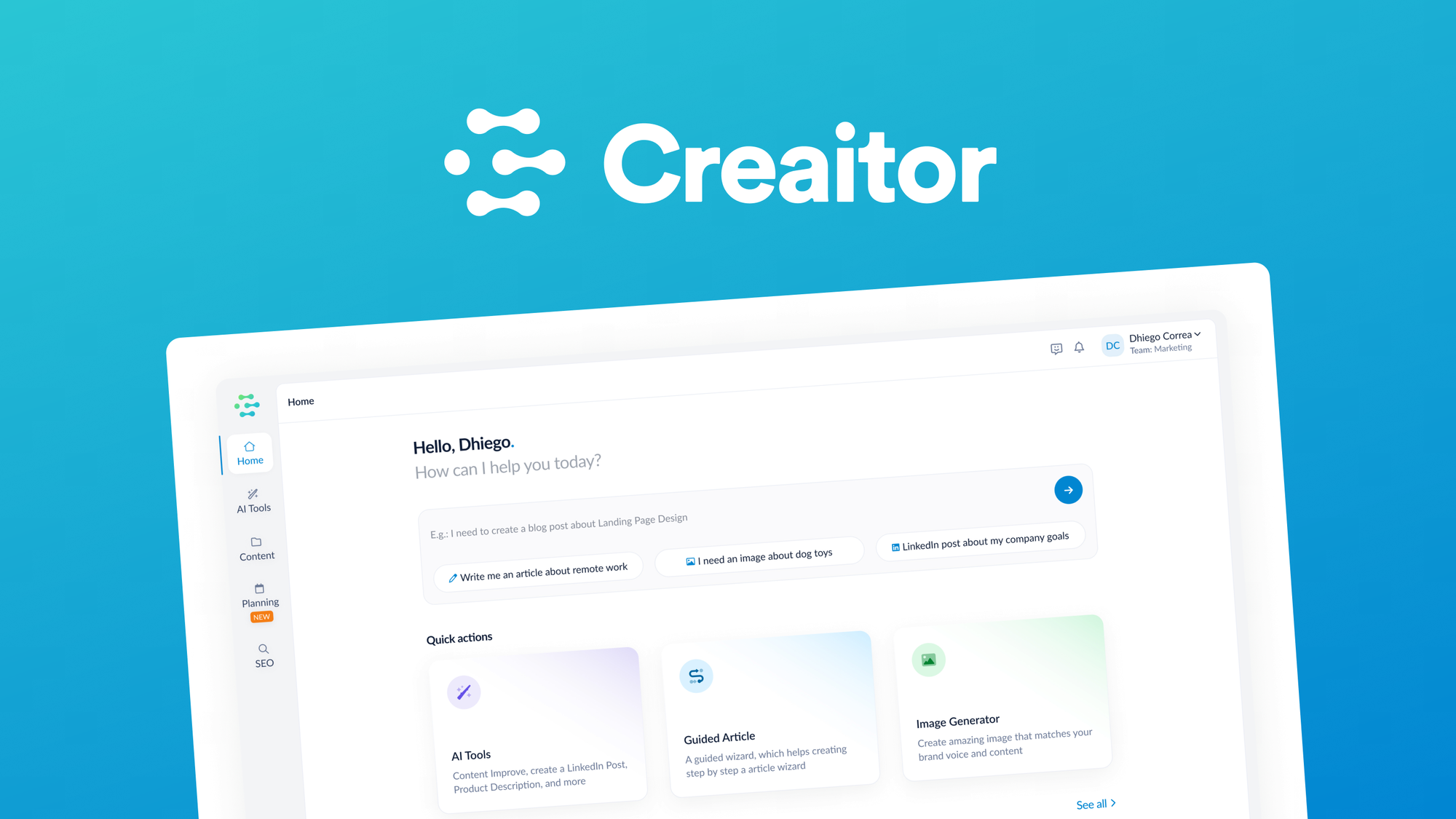
Creaitor.ai is a content hub that helps you shape brand-consistent copy, plan SEO-driven articles, and publish across social and some channels from one place. You can use it for quick social posts, short blog drafts, or to map out long-form pieces with SEO tools like the SERP Beater.
For everyday needs it speeds up ideation and batch-posting; for special projects you can set brand voices, collaborate with freelancers in the document cloud, and generate on-theme cover images. It’s not magic — long premium articles often need your editing — but for streamlining planning, repurposing content, and keeping a consistent voice, it’s a solid tool you can rely on.
What People Say
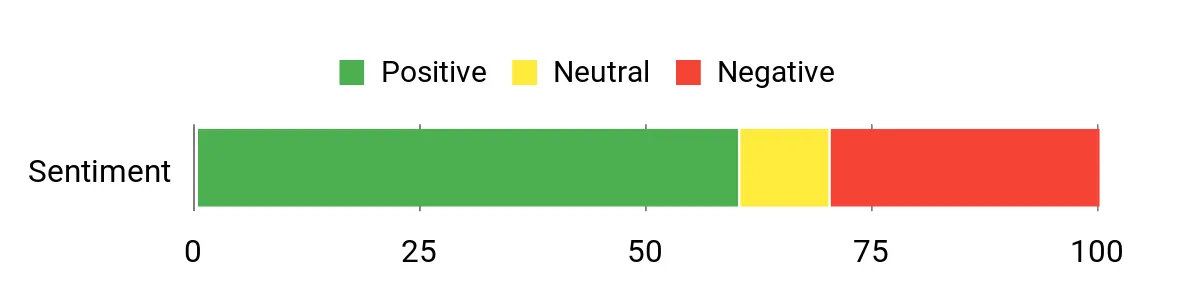
Customer feedback is a mix: many users praise the SEO features, brand voice setup, and publishing workflow that saves planning time, while others note inconsistent long-form quality and occasional stability issues. Overall, people find it useful for drafts and workflow consolidation.
Overall Sentiment: Mixed
🗣️ purpletriangle
I purchased the 3-code lifetime deal for Creaitor.ai on AppSumo in 2022, and it has consistently delivered substantial value.
The platform allowed me to quickly define my brand voice and generate long-form articles using the “Article Wizard” and “Blog Wizard,” which has saved me hours of content planning. I especially appreciate the SEO tools, including the “SERP Beater” and keyword-clustering modules, which help me structure articles with a clear strategy.
The ability to set up social media posts, repurpose content, and publish directly to Facebook, LinkedIn, and Instagram makes the workflow significantly smoother. I also find the document cloud and collaboration features very helpful when working with freelancers.
One Caveat
On the downside, the update frequency hasn’t always been rapid, so you may need patience for new feature rollouts.
My Recommendation
Overall, if your focus is on content creation, SEO optimization, and workflow consolidation in one place, I highly recommend the Creaitor.ai deal through AppSumo. It’s a solid pick.
🗣️ Frank.Hellwig
Ich komme aus Deutschland und Creaitor hat einen hochwertigen Output in meiner Sprache. Ich benutze häufig die Übersetzungsfunktion, die Übersetzungen sind wirklich Klasse.
Was ich besonders herausstellen muss, Creaitor hat uns bis jetzt an allen versprochenen Updates und neuen Funktionen teilhaben lassen. Das haben so einige Appsumo-LTD-Käufe leider nicht gemacht und man hat nachher nur eine lahme Ente und ein schlechtes Gefühl. Vielen Dank dafür, das ist wirklich seriös. So erarbeitet man sich einen guten Ruf. Creaitor hat sich immer weiterentwickelt.
Viele Grüße aus Deutschland und danke an das Team.
Pros | Cons |
|---|---|
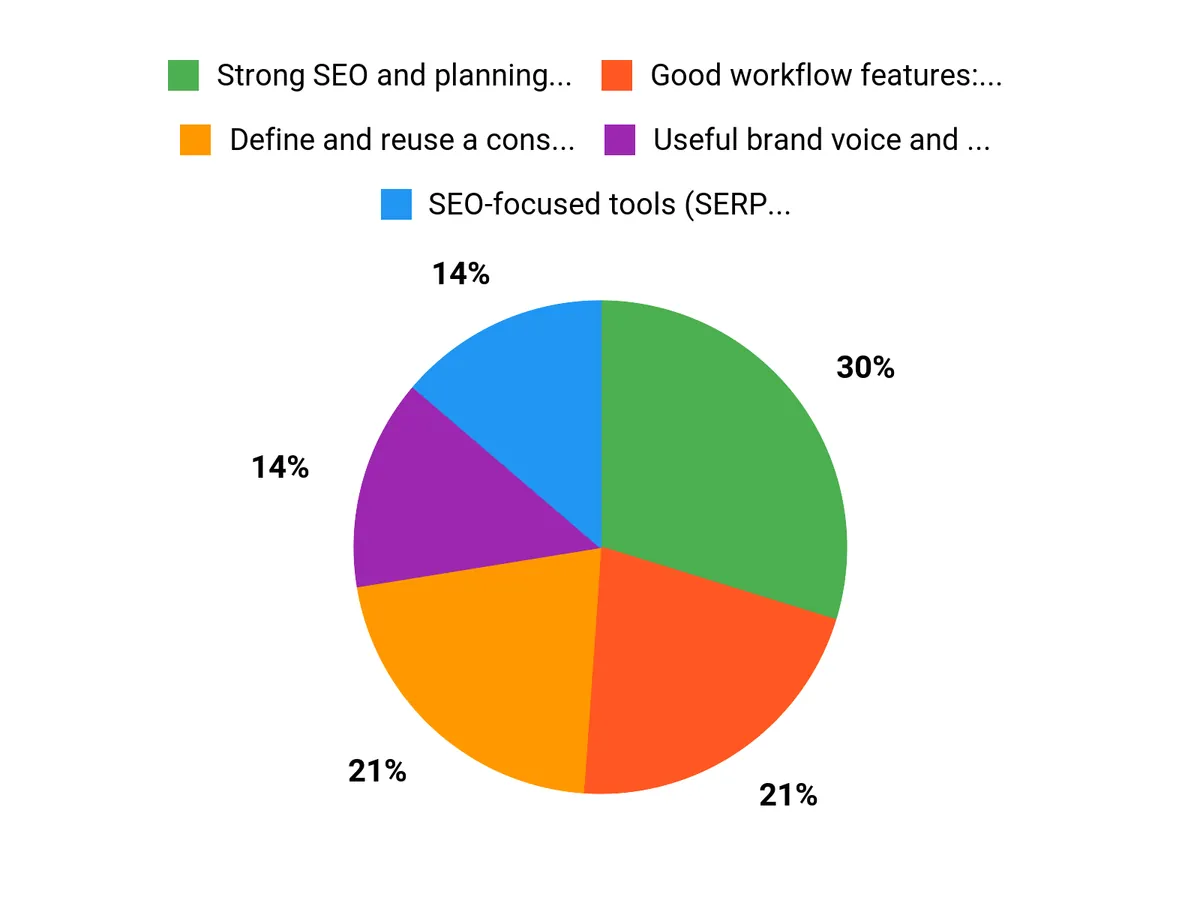
✅ Strong SEO and planning tools that help structure articles | ❌ Long-form premium articles often need significant editing |
✅ Good workflow features: document cloud, collaboration, social publishing | ❌ Occasional timeouts or stability issues reported with some features |
✅ Useful brand voice and translation features for multilingual work | ❌ Update cadence has been slow at times, according to users |
✅ Unlimited AI chat can speed up ideation and short drafts |
Usability
Aspect | Ease Level | Notes |
|---|---|---|
Onboarding | Moderate | You’ll get the basics quickly, but advanced features like SERP Beater take some experimentation. |
Short-form Content | Easy | Generating social posts and quick drafts is straightforward and fast. |
Long-form Workflow | Moderate | Article wizards help structure pieces, but you should expect to edit and refine longer articles. |
Collaboration & Publishing | Easy | Document sharing and direct social publishing streamline team workflows. |
Performance Speed
Generally responsive for short tasks; some users report timeouts or slower runs on SERP Beater for complex long-form workflows.
Integration
Software | Integration Quality |
|---|---|
Good | |
Good | |
Good | |
WordPress | Moderate |
Security
Feature | Protection Level |
|---|---|
Data encryption in transit | Medium |
Access controls and user roles | Medium |
Cloud backups | Medium |
Reliability
Mostly reliable for everyday drafting and collaboration, though some users report occasional stability issues with advanced features.
Learning Curve
Low for short-form tasks; moderate for mastering SEO tools and producing polished long-form content.
Key Benefits
- Define and reuse a consistent brand voice across content
- SEO-focused tools (SERP Beater, keyword clustering) to structure articles
- Built-in image generator for on-theme cover images
- Document cloud and collaboration for working with freelancers
- Direct publishing to major social platforms for smoother workflows
Rating: 4.61 (total: 119+)
FAQ
How Do You Ensure Brand-Consistent Content With This AI Solution?
You start by defining your brand voice and preferences inside the tool so the AI has a clear reference for tone, vocabulary, and style. Use the Brand Identities or equivalent profile to store taglines, do-not-use phrases, and example copy, then create reusable templates for headlines, blog outlines, and social posts so every piece follows the same rules.
Rely on the platform’s SEO outline tools to keep messaging aligned with your strategy, use the document cloud to centralize approved assets, and always perform a quick manual review to catch nuance, facts, and brand-specific context before publishing.
Is This AI Solution Good Enough For Long-Form, Publishable Articles?
Yes, but you should set realistic expectations: the AI can generate strong outlines and first drafts quickly, especially when you use the Article Wizard and SERP-based outlines, but many users find that 1,500–2,000+ word pieces often need human revision for voice, depth, and factual accuracy. If you plan on creating long, polished content, treat the AI draft as a time-saving collaborator rather than a finished product, break large articles into sections to reduce timeouts, iterate with the chat to refine sections, and always run a final edit for structure, references, and brand alignment. Remember that stability and output quality can improve with model updates, and you can speed up delivery by using editorial templates and short, focused prompts.
What Should You Consider Before Buying And How Do You Get The Most Practical Value?
Before you commit, test how the tool performs for your typical use cases: try multilingual outputs if you publish in multiple languages, validate the built-in image and publishing workflows against your CMS, and confirm support for collaboration and versioning. Pay attention to common user feedback about update cadence and occasional feature hiccups so you know where manual work may still be required.
To maximize value, start small with a pilot project, create brand templates and SOPs inside the app, use the SEO and keyword tools to shape outlines, repurpose single pieces into social posts and image assets, and leverage the chat for brainstorming and iterative editing. If you want predictable results, plan for a short human editing pass and use the platform to accelerate ideation, structure, and first drafts rather than as a drop-in replacement for expert writing.
Why Customers Choose It
You prefer Creaitor.ai because it helps you produce consistently on-brand content quickly—its brand presets, tone controls, and customizable templates ensure every piece matches your voice while cutting creation time. Plus, the intuitive editor, multi-format outputs, collaboration tools, and easy integrations let you scale content across channels without sacrificing quality.
Wrapping Up
Creaitor.ai helps you create brand-consistent content faster by combining brand identity templates, SEO-focused outlines, and direct publishing tools. It’s particularly useful if you need quick, on-brand drafts and a central workflow for publishing and repurposing.
Expect strong SEO features like the SERP Beater and useful collaboration tools, but plan to review and polish long, premium articles — some users report stability hiccups and occasional timeouts. If you use AI to generate drafts, then add your expertise and final edit, Creaitor.ai can be a reliable hub for scaling consistent content across channels.
This Article is reader-supported. When you click through links we may earn a referral commission on qualifying purchases.