

You want to get more done with less friction. Triplo AI helps by bringing an AI assistant directly to your desktop and apps so you don’t have to switch windows or juggle plugins.
It runs on any app, on any device and gives you customizable prompts and keyboard shortkeys to speed up recurring tasks. This matters because reducing context switching and automating common prompts saves time and mental energy every day.
TL;DR
Feature | Verdict |
|---|---|
Ease of Use | ⭐️⭐️⭐️⭐️⭐️ ⏱️ – Desktop is fast and intuitive; a small learning curve on mobile but powerful once set up |
Performance & Responsiveness | ⚡️ – Responsive across models, good for content generation and automation |
Customization | 🎨 – Strong custom prompts and keyboard shortcuts that streamline repetitive workflows |
Support & Updates | 🔍 – Active developer support and frequent improvements based on user feedback |
Mobile Experience & Token Model | 📱 – Android app can be less intuitive; tokens are allocated per device which limits cross-device token sharing |
Triplo AI
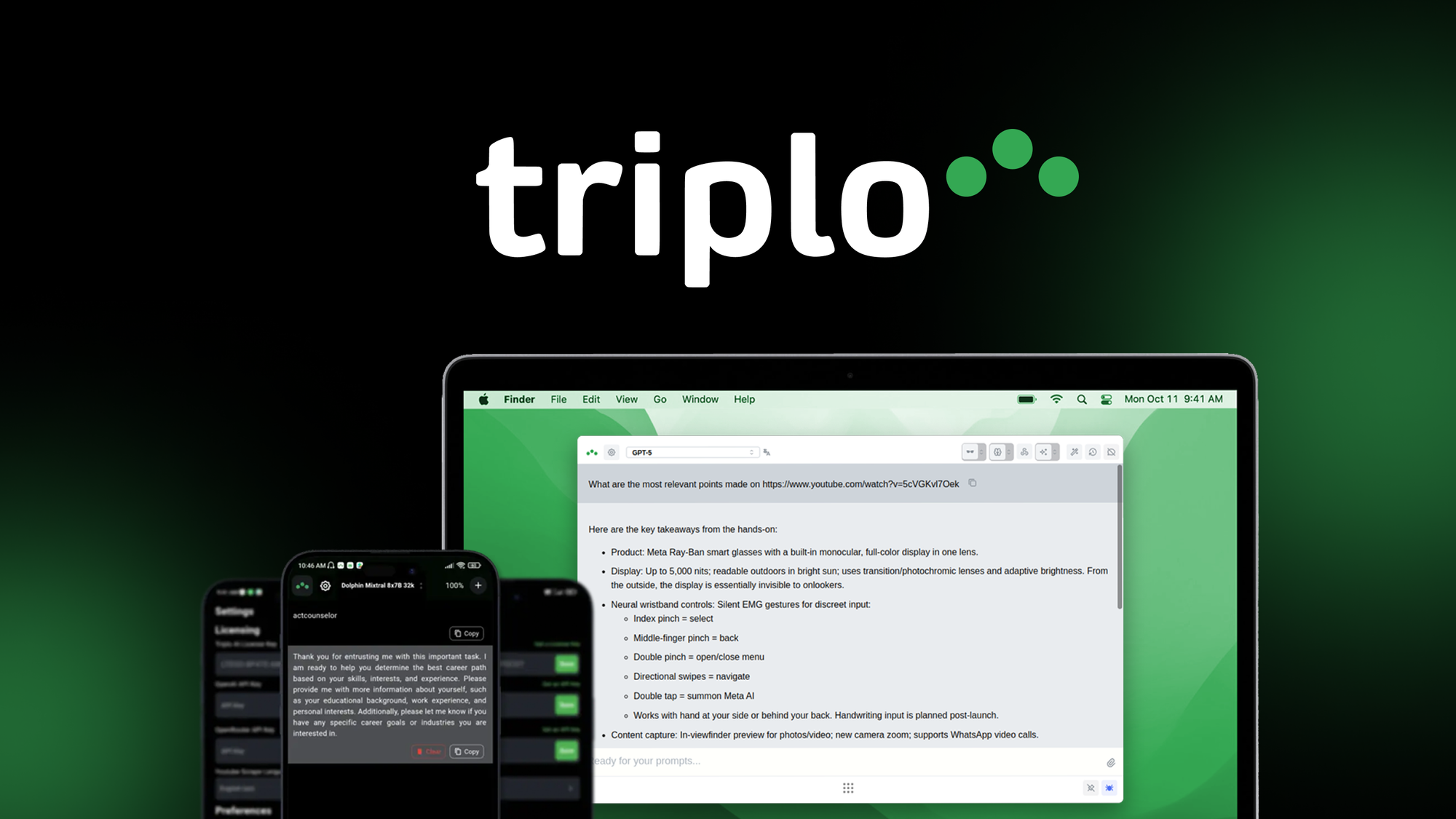
Triplo AI sits on your desktop and mobile apps so you can call an assistant without opening a new window. You get customizable prompts, keyboard shortcuts, and options to pick different LLMs, which makes it easy to generate content, edit long documents, or automate routine text tasks.
Day-to-day it speeds up writing, editing, and research; for special projects it helps you keep consistent voice and structure across chapters, proposals, or marketing assets. The desktop experience is especially quick and feels built for flow; mobile is handy but still improving. If you want an assistant that blends into your existing apps and a team that responds to feedback, Triplo AI is worth trying in your workflow.
What People Say
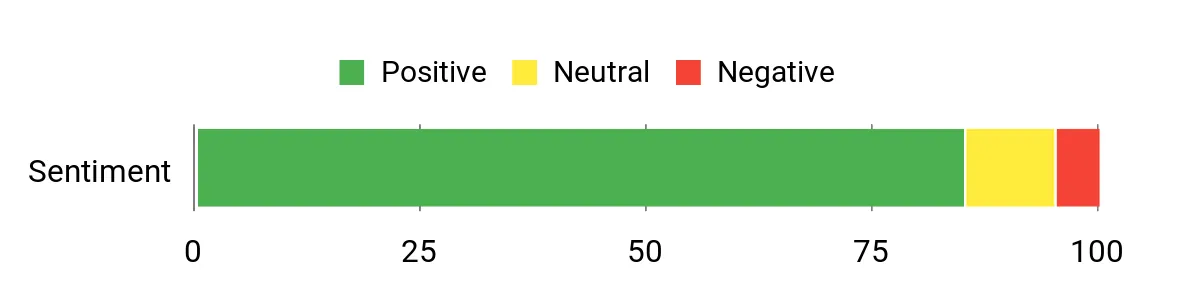
People praise Triplo AI for how smoothly it integrates into their daily apps and for the developer responsiveness. Reviewers highlight a fast desktop experience, helpful support, and ongoing improvements, while noting mobile polish and token rules as areas being worked on.
Overall Sentiment: Positive
🗣️ alexm
The desktop experience is fast and easy, with customizable and built-in prompts and keyboard shortcuts that boost productivity and streamline AI workflows. Mobile app is less intuitive and activating a second device can be tricky. Tokens are allotted per device rather than shared.
🗣️ bhushan
Seamless across devices and apps with no extra plugins. Great for content generation, automation, and working with a personal knowledge base. Support is fast and helpful, and the team keeps improving the product.
Pros | Cons |
|---|---|
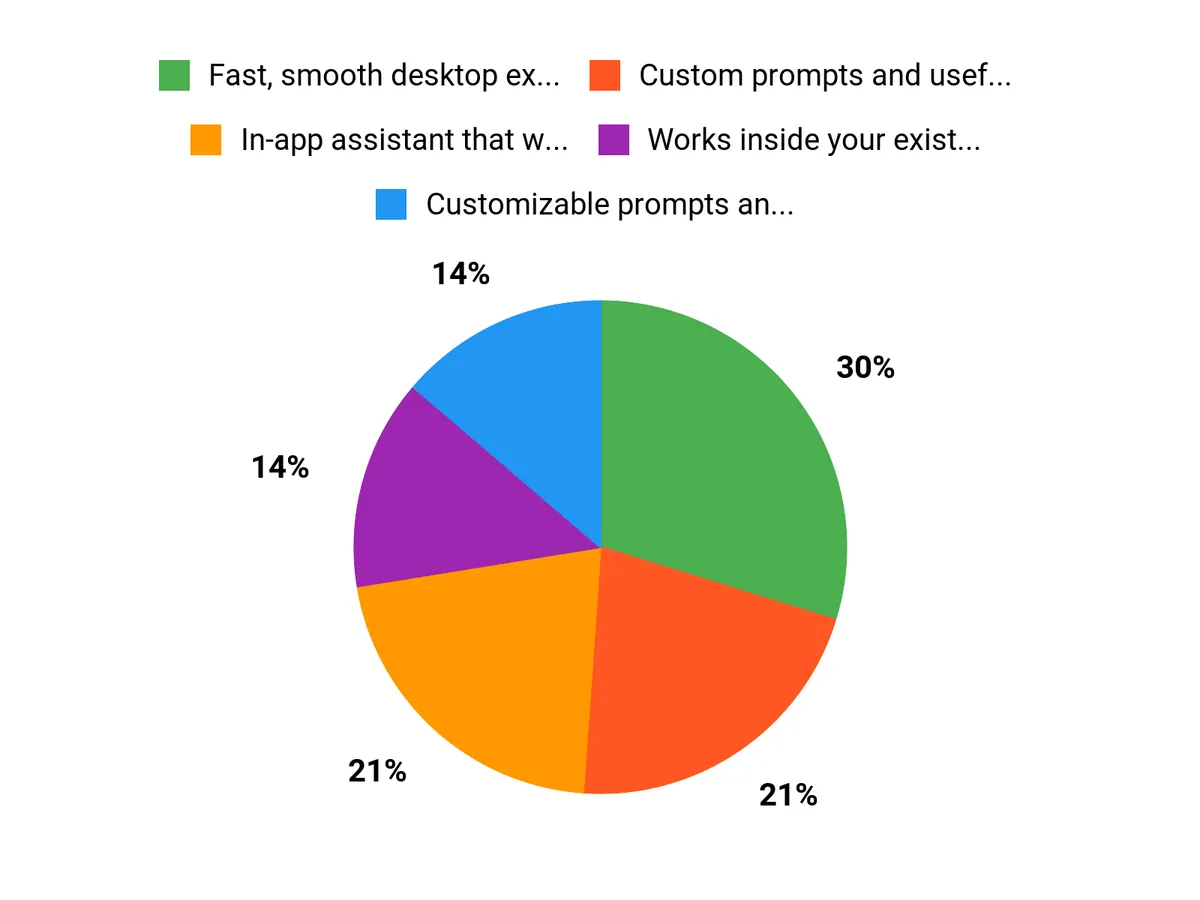
✅ Fast, smooth desktop experience | ❌ Mobile app can feel less intuitive |
✅ Custom prompts and useful keyboard shortcuts | ❌ Tokens are allocated per device rather than a shared pool |
✅ Works inside your existing apps with minimal setup | ❌ Some learning curve for advanced customization |
✅ Multiple LLM choices and regular improvements | ❌ Instructional materials could be more comprehensive |
✅ Helpful, responsive support team |
Situational Benefits
Situation | How It Helps |
|---|---|
Editing a manuscript or long document | You can apply custom instructions for voice and style, iterate on sections in-place, and use keyboard shortcuts to speed up revisions. |
Quick content drafts for social or email | Built-in prompts and templates let you produce tight drafts without switching windows, saving time and keeping momentum. |
Switching between desktop and mobile | Triplo runs on both, so you can pick up edits on different devices, though token limits per device are something to plan around. |
Ease Of Use
Feature | Ease Level |
|---|---|
Desktop Experience | Easy |
Custom Prompts & Shortcuts | Easy |
Mobile App | Moderate |
Initial Setup | Moderate |
Usability
Aspect | Ease Level | Notes |
|---|---|---|
In-app Integration | Easy | Works inside common writing apps without extra plugins. |
Multi-device Token Management | Moderate | Tokens are allocated per device, so plan device usage accordingly. |
Customer Support | Easy | Developers respond quickly and provide helpful guidance. |
Long-form Workflows | Easy | Templates and custom instructions make book or report editing practical. |
Performance Speed
Responsive on desktop with quick prompt handling; mobile performance is solid but some UX improvements are still underway.
Integration Capabilities
Software | Integration Quality |
|---|---|
Microsoft Word | Good |
Scrivener | Good |
Android Mobile | Moderate |
General In-App Use (browsers, editors) | Excellent |
Collaboration Features
Offers customizable chats and shared-style instructions you can apply across documents; not designed as a real-time multi-user collaboration tool, but useful for aligning team voice through templates and saved prompts.
Key Benefits
In-app assistant that works inside the apps you already use
Customizable prompts and keyboard shortcuts for faster workflows
Access to multiple LLM options without extra plugins
Responsive customer support that helps resolve issues
Good for both short edits and long-form document work
Rating: 4.91 (total: 128+)
FAQ
How Does Triplo AI Improve My Daily Productivity?
Triplo AI helps you work faster by letting you access AI features directly in the apps you already use, with customizable prompts, keyboard shortkeys, and built-in templates that streamline repetitive tasks. Because it runs on any app, on any device—no integrations required, you can keep your workflow in one place and avoid context switching. To get the most out of it, set up a small library of reusable prompts and shortkeys for your common tasks, use the desktop client for long-form or token-heavy jobs, and use the mobile app for quick edits or on-the-go notes.
If you want consistent output, create a custom instruction that captures your voice or brand and apply it to templates for faster, repeatable results.
What Should I Know About Tokens, Devices, And Limits?
Tokens are an important practical consideration: Triplo AI allocates tokens per device rather than as a shared pool, so you should plan which device will handle your heaviest workloads. Tokens are allocated per device, not as a shared pool, which means if you purchase access for multiple devices each device gets its own allowance.
Monitor usage and batch large jobs on the device with the largest token allocation to avoid running out mid-project. If you need help activating a second device or understanding your allowance, reach out to support—they can guide you through device setup and best practices.
How Secure Is My Data And How Easy Is It To Get Started?
You can get started quickly with minimal setup: install the desktop or mobile client, load or create your custom prompts, and enable the shortkeys you want to use. Triplo AI supports multiple LLM options so you can choose a provider that fits your privacy and performance needs, and you can review model-specific data handling in the app settings or provider documentation.
If you run into activation or mobile usability issues, contact support for hands-on help—users consistently report exceptional customer support. Practical tips: watch the instructional videos for real workflows, save your best prompts as templates, and keep heavy processing on the device with the highest token allowance.
Why Choose Triplo AI
You should choose Triplo AI because it streamlines your workflows and boosts productivity with fast, context-aware assistance that adapts to how you work. It plugs into your existing tools, offers easy customization and reliable results so you spend less time on routine tasks and more time on the work that matters.
Wrapping Up
Triplo AI is designed to remove friction from your daily workflows by putting a customizable AI assistant where you already work. If you rely on desktop apps and want quick, reusable prompts and keyboard shortcuts, Triplo can speed up writing, editing, and routine automation. The product is backed by responsive developer support and steady improvements, though the mobile experience and per-device token allocation may require a little adjustment depending on how you use multiple devices.
Overall, Triplo AI is a practical choice if you care about saving time, centralizing AI tools in-app, and customizing workflows to match how you actually work.
This Article is reader-supported. When you click through links we may earn a referral commission on qualifying purchases.