

Rybbit is worth your attention if you want straightforward, privacy-forward analytics without the complexity of traditional tools. In 2026, you need analytics that let you act faster, keep control of data, and won’t slow your site. Rybbit promises a simplified Google Analytics alternative that tracks traffic across subdomains, offers an intuitive dashboard, and gives you options for self-hosting and cookieless tracking. This matters because better clarity on visitor behavior helps you improve conversions, reduce guesswork, and protect user privacy while saving you time on setup and maintenance.
TL;DR
| Feature | Verdict |
|---|---|
| Ease of Use | ⭐️⭐️⭐️⭐️⭐️ ⏱️ – Very quick to set up and easy to read; good for non-technical owners |
| Insights & Reporting | ⭐️⭐️⭐️⭐️ 🔍 – Clean dashboards and useful funnels; gives actionable visitor behavior without heavy configuration |
| Privacy & Data Ownership | ⭐️⭐️⭐️⭐️⭐️ 🛡️ – Cookieless options and self-hosting let you keep control of your data |
| Replay Feature | 🎥 – Useful session replays exist but may require an upgraded plan to access |
| Event Billing Model | 🔍 – Event-based counting can burn through quota quickly; monitor event usage patterns |
Rybbit
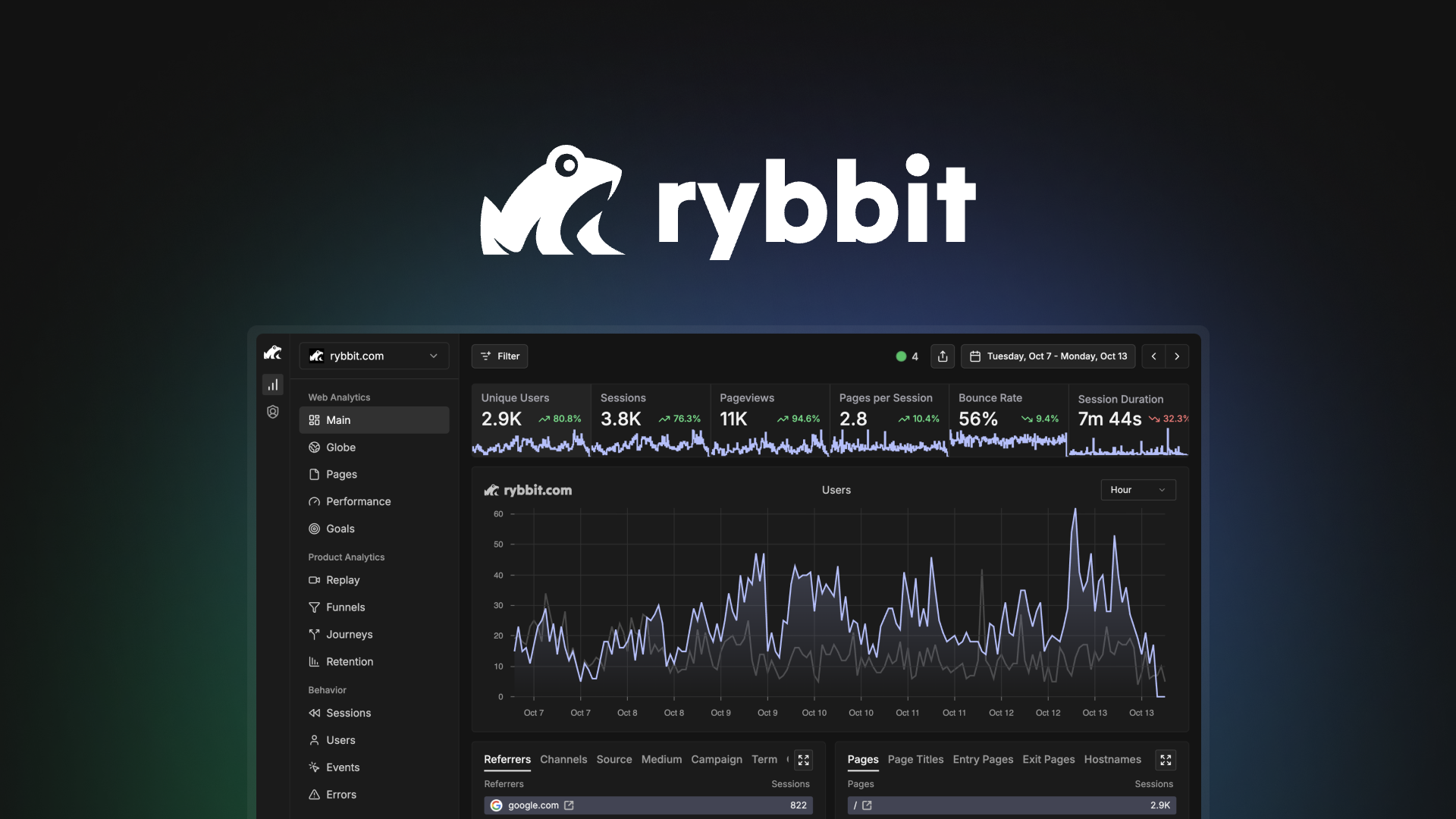
Rybbit is a no-nonsense analytics tool that gets you useful website insights without the usual setup headache. You can be up and running in minutes: add the tag, and data starts flowing — it even works across subdomains out of the box.
The dashboard is clean and focused, so whether you check traffic daily, monitor a campaign, or run a big product launch, you’ll find the reports clear and actionable. It’s built with privacy in mind (cookieless tracking and self-hosting options are supported), and the team keeps the interface straightforward so you don’t have to be an analytics expert to make smart decisions.
If you want approachable analytics that respects speed and data ownership, Rybbit is worth a look.
What People Say
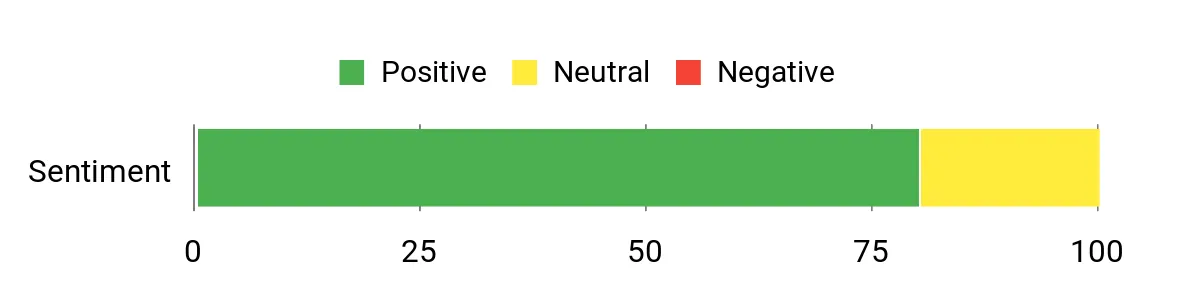
Customers frequently mention how quick and simple Rybbit is to install, how the interface surfaces useful data without extra configuration, and how the platform respects privacy. A number of users highlight that the dashboard and documentation make it easy to act on insights right away.
Overall Sentiment: Positive
🗣️ brainhacker
Took about 15 minutes to get the tag on my site and subdomains, and data started coming in right away. The UI is organized and clean, giving me the reports I wanted without digging through complex menus.
🗣️ NAGOC
Super simple to set up, the tracking doesn’t slow my site, and the dashboard is easy to share by sending a link. Documentation is clear, and the self-host/privacy options are great if you care about owning your data.
| Pros | Cons |
|---|---|
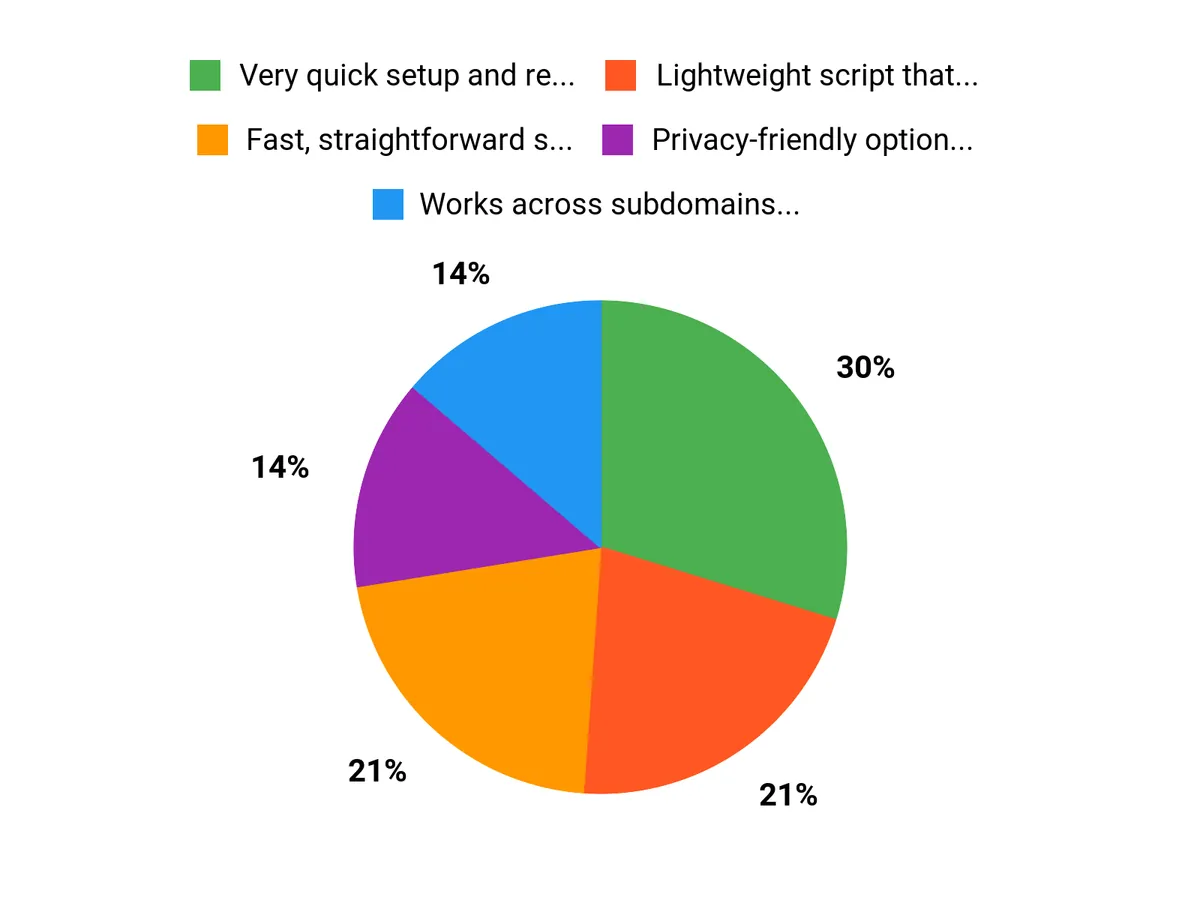
| ✅ Very quick setup and reliable tracking across subdomains | ❌ Events are counted in a way that can burn through limits faster than expected |
| ✅ Lightweight script that doesn’t noticeably affect site speed | ❌ Session replay feature is available but gated behind an upgrade path |
| ✅ Privacy-friendly options and the ability to self-host | |
| ✅ Clean, easy-to-read reports and shareable dashboards |
Usability
| Aspect | Ease Level | Notes |
|---|---|---|
| Setup | Easy | Tagging usually takes 10–20 minutes with clear install guides. |
| Dashboard | Easy | Organized, minimal learning curve for day-to-day metrics and funnels. |
| Subdomain Tracking | Easy | Works across subdomains without extra configuration. |
| Advanced Features | Moderate | Turning on custom events, web vitals, or replays requires a bit more configuration. |
Performance & Speed
Lightweight, cookieless tracking that generally won’t slow your pages. Designed to keep site performance snappy while still collecting useful metrics.
Integrations
| Software | Integration Quality |
|---|---|
| Google Analytics-like Insights | Good — provides similar metrics and can complement your existing GA setup. |
| Microsoft Clarity | Included — offers comparable session analysis; note that replay access may be behind an upgrade. |
| Self-hosting / API | Solid — supports self-hosted deployments and API access for owning your data. |
Security & Privacy
| Feature | Protection Level |
|---|---|
| Cookieless Tracking | High |
| Self-Host Option | High |
| IP Blocking | Medium-High |
| Data Ownership | High |
Scalability
Suitable for small sites up through growing SaaS or ecommerce sites. Keep an eye on event counts as traffic and user interactions scale, since usage accounting can affect how quickly you consume allocation.
Reporting & Analytics
Clear, actionable reports covering funnels, user journeys, and a global traffic map. Data appears quickly after setup; session replay exists but may require toggling or an upgrade.
Key Benefits
- Fast, straightforward setup and tagging
- Works across subdomains without extra tweaks
- Privacy-focused: cookieless tracking and self-host option
- Clean dashboard with funnels, maps, and user journeys
Rating: 4.6 (total: 5+)
FAQ
How Does Rybbit Transform Website Analytics For Owners In 2026?
You get a simplified, privacy-first analytics experience that surfaces the insights you need without decades of configuration. Rybbit captures cross-subdomain traffic quickly, presents funnels and user journeys in a clean dashboard, and gives you visual tools like a global map so you can spot trends at a glance. The tag is lightweight and cookieless, so you shouldn’t see site slowdowns, and you can turn on advanced events only when you need them. A good practical step is to install the tag and wait a short period for data to populate, then use the shared dashboard links to review funnels and make quick optimization decisions; the result is actionable data with less setup.
Is My Data Private And Can I Exclude Internal Traffic Or Self-Host?
You have options that prioritize ownership and privacy: you can choose to self-host Rybbit to keep all data on your servers, or use the cloud offering that is designed to be cookieless and privacy conscious. If you want to exclude your own visits, enable the IP blocking feature from your site dashboard by opening Site Settings and scrolling to the IP blocking option, or use server-side filters to remove internal traffic. You should also verify export and retention settings to meet compliance needs and keep only the data you require.
How Should You Manage Events, Replays, And Performance To Get The Best Results?
Understand that events are configured to be efficient by default and only certain signals are captured automatically, so you should review which event types you need and turn on custom events or web vitals selectively to control usage. Monitor your event burn rate early after launch, restrict high-frequency events you don’t need, and limit replay retention if the session recordings are gated or metered.
For best performance, place the tag as recommended by the setup guide, test cross-subdomain tracking, and use the dashboard’s funnel and journey reports to prioritize changes; this way you get meaningful insights without unnecessary data noise.
Why Choose Rybbit
You choose Rybbit because it turns complex website analytics into clear, actionable recommendations so you can focus on improving conversions and user experience instead of wrestling with tools. Built for owners, it delivers real-time, privacy-first insights, seamless integrations, and AI-driven alerts that save you time and help you prioritize the changes that actually move the needle.
Wrapping Up
Rybbit gives you a fast, privacy-conscious way to understand visitor behavior without the steep learning curve of older analytics platforms. You can get useful funnels, maps, and dashboards up and running in minutes, track across subdomains, and even self-host if you need full control.
Be aware that session replays may require upgrading and that the event-based counting model can consume your monthly allowance faster than simple pageview-based systems. If you prioritize clear insights, minimal site impact, and data ownership, Rybbit is a strong option; just monitor event usage and check replay availability against your needs.
This Article is reader-supported. When you click through links we may earn a referral commission on qualifying purchases.