

Email is still where most conversations, leads, and follow-ups happen, and if you let your inbox run you, it quickly becomes a time sink. With Snoooz you can reduce inbox overwhelm by automating routine replies, categorizing messages, and routing conversations so you focus on what matters.
This matters because when you cut down repetitive tasks and respond faster, you capture more opportunities, protect your time, and keep relationships moving forward. The result is less stress, more consistency, and hours regained in your week.
TL;DR
Feature | Verdict |
|---|---|
Ease of Use | ⭐️⭐️⭐️⭐️ – ⏱️ Nearly intuitive; a short learning curve to set up rules and templates |
AI Reply Quality | ⭐️⭐️⭐️⭐️⭐️ – 🤖 Replies read like a human wrote them, cutting drafting time dramatically |
Automation Power | ⭐️⭐️⭐️⭐️⭐️ – 🔁 Robust rules, labels, and timed responses keep conversations moving without manual effort |
Integrations & Flexibility | ⭐️⭐️⭐️⭐️ – 🔗 Works with Gmail and Outlook and supports multiple inboxes; advanced setups may need extra steps |
Support & Reliability | ⭐️⭐️⭐️⭐️⭐️ – 💬 Very responsive support and helpful documentation for tricky configurations |
Snoooz
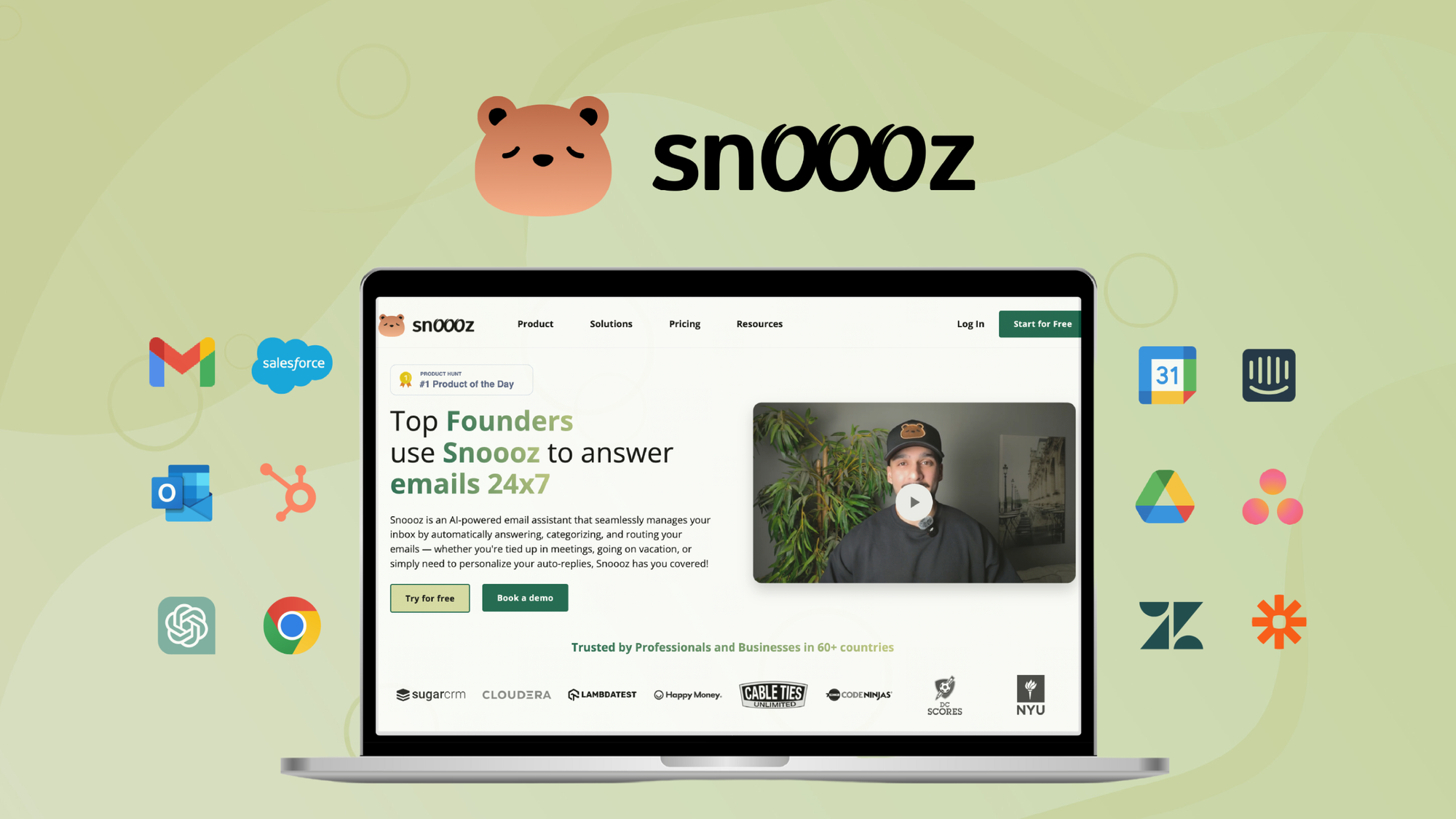
Snoooz helps you cut through email clutter by automating replies, sorting messages, and routing conversations so you can focus on the work that actually matters. You can set rules, create AI-backed templates with natural-sounding delays, and pull context from FAQs, PDFs or CSVs to make replies feel personal. Day to day, it drafts routine responses, triages leads, and inserts scheduling links so you don’t lose momentum. For busy moments like product launches or event days, it keeps incoming volume under control and helps you respond faster.
The setup is straightforward for standard inboxes and multi-mailbox accounts, though custom mail server certificate configuration can take a bit more attention. If you want less inbox stress and more time back in your day, Snoooz is an easy tool to recommend.
What People Say
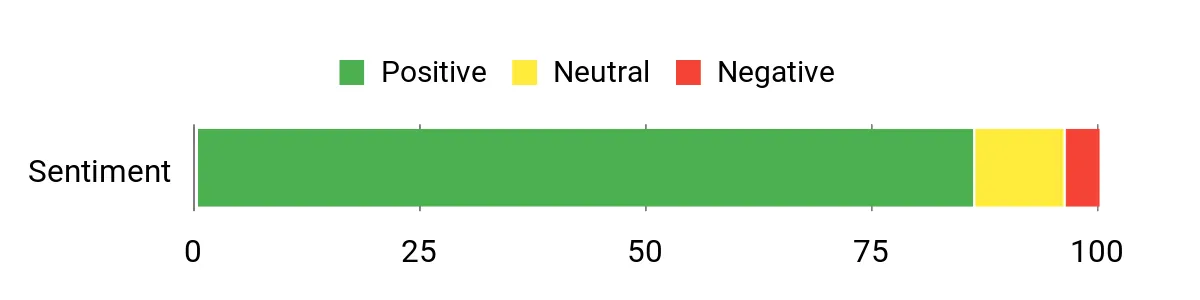
Users consistently mention that Snoooz saves real time by drafting replies and handling repetitive messages, and that the support team is fast and helpful. A few users note setup can be trickier for custom mail servers or when processing historical inboxes, but performance for new incoming mail is praised.
Overall Sentiment: Positive
🗣️ marco_di
Snoooz offers smart automations and AI reply templates with timed delays, automatic sorting and label assignment, and good integration of external data sources, plus very helpful, responsive support.
🗣️ Avinash.Katta
Support is fast and helpful, the AI responses sound genuinely human, it saves a lot of time by handling repetitive replies, works with Gmail and Outlook, supports multiple languages and can include scheduling links automatically.
Pros | Cons |
|---|---|
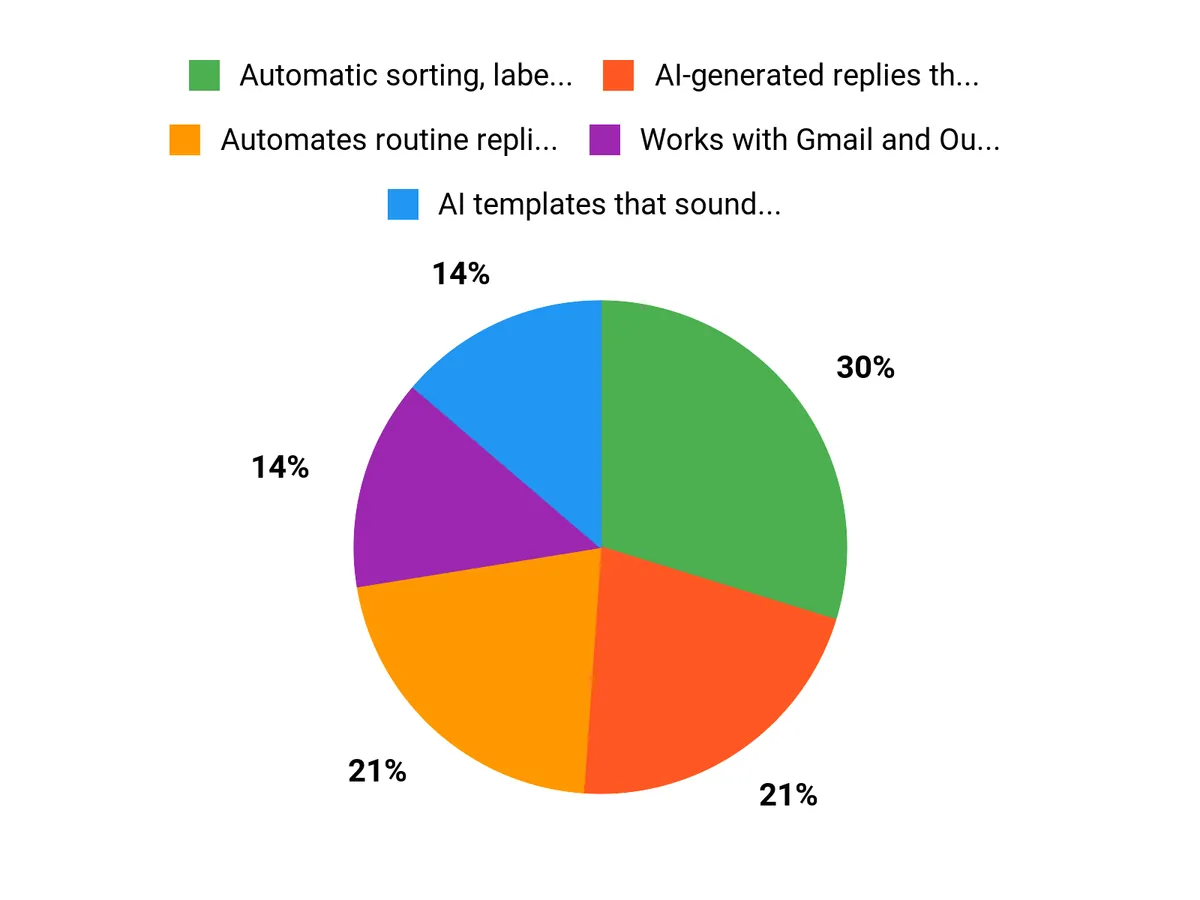
✅ Automatic sorting, labeling, and routing of emails | ❌ Setting up IMAP/SMTP and certificates for custom mail servers can be fiddly |
✅ AI-generated replies that feel human and include scheduling links | ❌ Does not currently process large volumes of historical emails |
✅ Works with Gmail and Outlook and supports multiple languages | ❌ Initial learning curve when building your first rules and workflows |
✅ Flexible rules, templates, and knowledge-base integrations | ❌ Some uncertainty noted about long-term AI model updates |
✅ Quick, helpful customer support |
Usability
Aspect | Ease Level | Notes |
|---|---|---|
Setup | Moderate | Standard inboxes and multiple mailboxes are straightforward, but IMAP/SMTP certificate setup can require extra support. |
Rule Creation | Easy | Creating rules, templates, and workflows is intuitive and flexible for common use cases. |
Multi-Mailbox Handling | Easy | Designed to manage multiple inboxes and workspaces without major friction. |
Performance Speed
Fast for new incoming mail: AI-generated replies and automated routing speed up response time and reduce manual handling. Bulk historical processing is not yet available and is on the roadmap.
Integrations
Software | Integration Quality |
|---|---|
Gmail | Excellent |
Outlook | Excellent |
IMAP/SMTP | Good |
Knowledge Sources (FAQs, PDFs, CSV) | Good |
Security Features
Feature | Protection Level |
|---|---|
TLS / Encryption | High |
Certificate Handling (IMAP/SMTP) | Moderate |
Data Source Access Controls | Good |
Scalability
Handles growing volumes of incoming mail well for ongoing use; bulk processing of historical emails is being planned so you can scale retroactively when that feature is released.
Collaboration
Workspaces let you separate rules, templates, and knowledge bases for different teams or brands so multiple people can manage shared inboxes without stepping on each other.
Key Benefits
- Automates routine replies so you spend less time writing emails
- AI templates that sound natural, with optional timed delays
- Easy rule and workflow creation for multiple inboxes
- Pulls context from FAQs, PDFs, and CSVs for richer replies
- Responsive support that helps with setup and edge cases
Rating: 4.86 (total: 56+)
FAQ
How Does Snoooz Integrate With My Email System And Setup?
You connect Snoooz via standard IMAP/SMTP or the provider-specific APIs, and it supports major platforms like Gmail and Outlook. When you set up multiple mailboxes, use Workspaces to keep rules, templates, and knowledge bases separate so each brand or team behaves predictably; if you host your own mail server be prepared to check certificates and IMAP settings during setup. Practical tip: start with a test mailbox, create a few rules and templates, and watch replies for a couple of days before applying them to high‑volume inboxes so you can fine-tune labels, timedelay, and escalation workflows.
Will Snoooz Sound Human And How Do You Keep Control Over AI Replies?
Snoooz is designed to produce human-sounding replies and uses advanced models to keep tone natural, but you stay in control by creating and approving templates, setting timedelays, and routing complex threads to a human agent. To avoid mistakes, enable moderation for sensitive categories, populate Snoooz with your FAQs or PDFs so responses have context, and review the first few weeks of automated replies to tweak language or escalation rules; these small actions let you enjoy time savings without losing brand voice.
Can Snoooz Process Old Emails And What Should You Consider Before Buying?
Right now Snoooz focuses on processing new incoming mail; bulk processing of historical inboxes is a known request and is on the roadmap, but handling tens of thousands of past messages requires architectural changes and controlled rollout. If you need to act on older emails today, consider exporting or forwarding batches into a staging inbox that Snoooz monitors, or work with support to explore one-time migration options; also evaluate your expected monthly volume, how many inboxes/workspaces you’ll manage, and whether you need BYO models or advanced integrations so you buy with your long-term workflow in mind.
Why Customers Choose Snoooz
You choose Snoooz because it pairs AI-driven personalization and send-time optimization with simple automation and industry-leading deliverability, so your emails land in the right inbox at the right moment. That means you save time, boost engagement and conversions, and scale sophisticated campaigns without a big team or technical headaches.
Wrapping Up
Snoooz is a practical way to automate repetitive replies, sort incoming mail, and keep leads engaged while you focus on higher-value work. You’ll get human-sounding AI responses, flexible rules, and strong support—ideal if you manage multiple inboxes or want to reclaim hours per week.
Be aware there’s a small setup learning curve and bulk processing of decades-old emails isn’t available yet, but the trade-off is faster response times, consistent messaging, and more time back in your day. If your goal is to streamline email without losing the human touch, Snoooz is worth trying.
This Article is reader-supported. When you click through links we may earn a referral commission on qualifying purchases.