

You run events to connect people, tell stories, and drive outcomes. Choosing the right platforms reduces friction, increases engagement, and saves you time and money. In this guide you’ll find five tools that each solve a clear event pain point — from hosting highly branded conferences to collecting guest photos and handling registrations. Use these recommendations to streamline operations, boost attendee experience, and get more measurable results from every event.
If you want fewer tech headaches and more engaged attendees, this is where to start.
Top Picks
| Category | Product | Score |
|---|---|---|
| 🏆 Best Overall | BeHuman.Online | 96/100 |
| 🎯 Best For Registration & Forms | FormDesigner | 95/100 |
| ⚡ Best For Engagement | GoBrunch | 94/100 |
| 💰 Best Value (QR & Tracking) | ElkQR | 90/100 |
| 🔊 Best For Collecting Event Media | Memogram | 87/100 |
How We Chose These Platforms
You need tools that actually reduce work and improve outcomes. We evaluated each platform based on:
– Core functionality: Does it solve a specific event problem (virtual venue, media collection, QR distribution, registration/forms)?
– Ease of use: Can you set up events quickly and invite attendees without long onboarding? – Scalability & flexibility: Will it handle small meetings, large conferences, or recurring events? – Integrations & data access: Does it connect to the storage, analytics, or ticketing systems you use?
– Attendee experience: Does the platform keep people engaged and reduce fatigue? – Support & roadmap: Is the team responsive and actively improving the product? – Price-to-value: Are the features worth the cost, and is there a clear upgrade path?
You can use these criteria to prioritize what matters most for your events and pick the platform or combination that fits your workflow.
GoBrunch

GoBrunch gives you a virtual space that feels less like “another meeting” and more like a real room. You can build branded rooms, use preset layouts for quick breakouts, and invite people with no account friction — they just click and join.
It works well for daily rituals like team co-working, stand-ups, and training sessions, and it also scales for special occasions such as author talks, workshops, or community events where you want a polished, immersive experience. You’ll appreciate easy participant onboarding, recording options that make sharing sessions simple (users post recordings to Substack, for example), and the ability to create recurring community spaces. If you want something that boosts engagement and keeps people present, GoBrunch is worth trying for both everyday ops and event-style gatherings.
What People Say
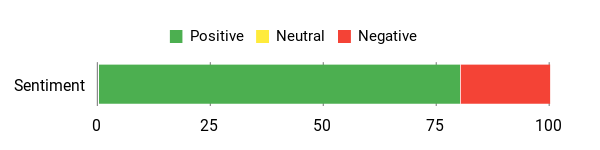
Users praise the platform for making virtual gatherings feel human and community-driven, with many noting higher engagement and ease of use. A recurring praise is the supportive team and active user community. One common critique is limited flexibility around the fixed “room” element in small meetings.
Overall Sentiment: Positive
🗣️ jaimebuckley
We’ve used GoBrunch daily for months — custom rooms, author sessions, and recordings posted to Substack. Zero learning curve for guests: no accounts, just click and join. Helped grow readership and build a community.
🗣️ ovidilio
As a keynote speaker and remote team lead, GoBrunch is our virtual HQ. Immersive, branded spaces, frictionless guest experience, and breakout rooms that actually work. My team’s engagement and productivity improved noticeably.
Usability
| Aspect | Ease Level | Notes |
|---|---|---|
| Onboarding | Very Easy | Guests can join without accounts; organizers can set up rooms quickly. |
| Participant Experience | Easy | Simple controls and intuitive layout keep attendees engaged with minimal direction. |
| Customization | Moderate | Good branding options and preset layouts, though some users want more toggles for room elements. |
| Mobile Access | Easy | Web app works well on mobile, and some users treat it like an app on Android. |
Performance & Speed
Generally smooth with reliable audio/video; occasional layout constraints can affect visibility in very small meetings.
Integrations
| Software | Integration Quality |
|---|---|
| Substack | Good — users report posting recordings there easily. |
| Social Platforms | Limited — some users wish for built-in livestreaming to social channels. |
| Third-Party Tools | Basic — users typically share recordings or links manually to connect with other tools. |
Collaboration
Prebuilt breakout rooms, assignable facilitators, seating arrangements, and circle cams for a more social, interactive feel.
Reporting & Analytics
Includes session recordings and basic engagement indicators; some users report measurable boosts in participation (around 30% in a few cases).
Support
Users describe the team as responsive, transparent, and helpful — developers actively reply to feedback.
Key Benefits
- No-account join flow for easy guest access
- Branded, immersive rooms and preset layouts
- Built-in breakouts and facilitator controls
- Recordings you can share externally
- High engagement for team and community events
Rating: 4.86 (total: 307+)
Memogram

Memogram helps you gather every guest photo and video with a single QR code and a shared gallery. You can spin up an event page in minutes, let guests upload from their phones, and have media sync to web and mobile in real time.
It works for quick everyday moments — think brunch meetups, pop-up sessions, or small team socials — and scales to bigger occasions like weddings, conferences, or hotel events where you want one tidy place for everyone’s memories. You’ll like how straightforward the dashboard feels, the option to push uploads to remote storage (Google Drive), and the vibe of a product that’s actively improving.
If you want a low-friction way to centralize event media without chasing attendees for files, Memogram is worth testing.
What People Say
You’ll see users praising the simplicity and the responsive support team. People like how quick it is to collect media and how clear the dashboard is. Common requests are faster uploads, smoother custom domain setup, and more customization or white-labeling options.
Overall Sentiment: Positive
🗣️ admin4179
Very easy to use for both host and guest — hosts can create an event page in minutes and guests upload photos or videos in seconds. The team is active and responsive, and you can automatically store uploads to Google Drive.
🗣️ magroup
Clean, simple interface that just works. The team responds quickly to issues, and once media is uploaded you can tag and manage files easily — great potential for hospitality and event pros.
Usability
| Aspect | Ease Level | Notes |
|---|---|---|
| Onboarding | Very Easy | Redeem and set up an event quickly; first-time flows are straightforward though some experienced users reported limited trial-tier feature confusion. |
| Guest Upload | Easy | Uploading from mobile is simple and fast for guests, but current limits (e.g., number of files per upload) can slow larger contributions. |
| Event Creation | Easy | Create an event in minutes via the dashboard, though some navigation quibbles exist (e.g., creating events only from certain pages). |
| Customization | Moderate | Basic branding and templates available, but white-labeling and custom domain setup are more involved or reserved for higher tiers. |
| Mobile Preview | Moderate | Mobile previews are helpful but a few users found them inaccurate compared with the real device display. |
Performance & Speed
Generally smooth for browsing and management, though some users reported slow upload times from mobile — improving upload speeds is on the wishlist.
Integrations
| Software | Integration Quality |
|---|---|
| Google Drive | Good — users report reliable automatic storage sync. |
| WordPress | Basic — there are some UX/linking quirks reported (login string and preview sharing issues). |
| Social Sharing | Limited — sharing works but finer control (like OG image changes) is requested by users. |
Collaboration
Supports workspaces and team members, but inviting teammates can require extra fields (password entry) and a dedicated client role or more granular permissions is a commonly requested addition.
Reporting & Analytics
Provides basic event metadata and media counts; advanced filtering and clear use of event categories are limited and have been called out as areas to refine.
Support
Customers report responsive, helpful support and an active community group; the team often replies to feedback and addresses bugs or onboarding issues.
Key Benefits
- One-QR-code media collection for easy guest uploads
- Central gallery that syncs across web and mobile
- Integrates with remote storage like Google Drive
- Fast event setup and a clean, localized dashboard
- Responsive support and an active community
Rating: 4.27 (total: 22+)
BeHuman.Online
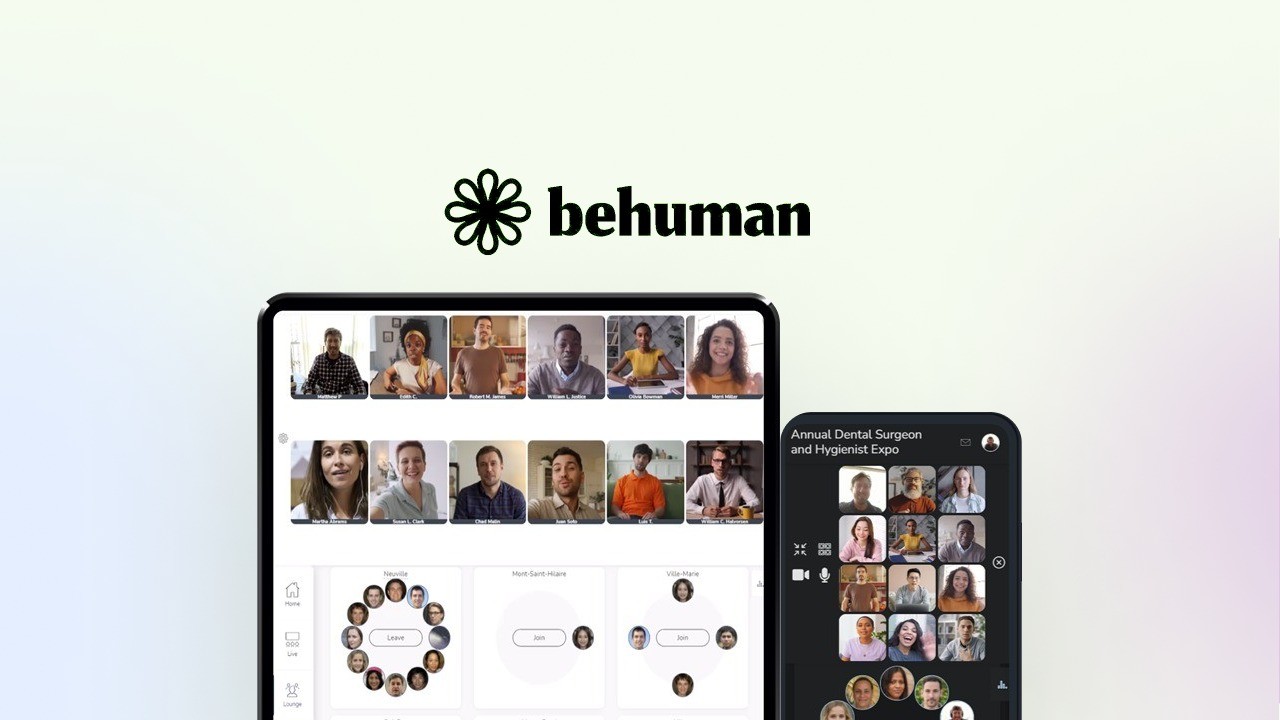
BeHuman.Online is a web-based platform that helps you run engaging virtual and hybrid events with a strong focus on attendee interaction and branding. You can set up multi-track live streams, exhibitor booths, interactive lounges for networking, and fully branded event pages — even use a custom domain via CNAME.
It works for everyday uses like weekly webinars, team meetups, or training sessions, and it scales to larger occasions such as conferences, expos, or community summits. You’ll appreciate how quickly you can spin up events, invite co-hosts or exhibitors, and control things in real time from the dashboard.
The team is known for fast, hands-on support and for shipping improvements based on user feedback, so if you need help with a custom domain or a migration from another platform they’ll often jump in and assist. If you want a flexible, low-friction way to host branded online experiences where people can actually mingle and interact, BeHuman.Online is worth trying.
What People Say
You’ll see users highlight the platform’s flexibility for branded events and the team’s fast, helpful support — common praise centers on customization, multi-stream setups, and smooth onboarding. People also request more advanced white-labeling and occasional polish on mobile previews.
Overall Sentiment: Positive
🗣️ NikosGallis
Switched from Hopin—quickly became my go-to webinar platform. Lets me create fully branded events with ease, and the team launched suggested improvements within 24 hours.
🗣️ Vasttee
Flexible and powerful for virtual/hybrid events: customizable branding, multi-track live streams, exhibitor booths, interactive lounges, and excellent, prompt support during onboarding.
Usability
| Aspect | Ease Level | Notes |
|---|---|---|
| Onboarding | Very Easy | Users report quick setup and helpful support during the first events, making initial configuration smooth. |
| Event Creation | Easy | Create registration pages, expo booths, and live streams from the dashboard with intuitive controls. |
| Branding & Domains | Moderate | Branding options are strong, but custom domain/CNAME setup may need support help for first-time configuration. |
| Streaming Setup | Moderate | Adding multiple streams and external RTMP/HLS sources is supported, though optimal performance depends on your AWS or streaming setup. |
| Team & Exhibitors | Easy | Invite co-hosts, add exhibitors and sponsors, and manage roles from the platform with minimal friction. |
Performance & Speed
Generally reliable for attendee browsing and event management; live stream quality is solid when paired with the recommended AWS integration, though final performance ties to your streaming setup and network.
Integrations
| Software | Integration Quality |
|---|---|
| AWS | Good — users report smooth, cost-effective video call and streaming options when configured. |
| Zapier | Good — enables automation and ties into other tools for registration or notifications. |
| YouTube / Vimeo / Twitch / RTMP / HLS | Very Good — multiple live stream sources are supported and work well for multi-track events. |
Collaboration
Supports co-hosts, team members, exhibitor pages, and private attendee groups so you can distribute tasks and let sponsors or teammates manage their sections.
Reporting & Analytics
Includes attendance reports, export to Excel, and attendee maps on higher tiers — enough for basic post-event analysis, with more advanced exports and duplication tools available in fuller plans.
Support
Users consistently report fast, hands-on support that helps with tasks like domain linking, account changes, and onboarding; the team also responds to feature suggestions and often implements improvements quickly.
Key Benefits
- Fully branded event pages with custom domain (CNAME) support
- Multi-track live streaming plus support for YouTube, Vimeo, Twitch or custom RTMP/HLS
- Exhibitor booths, sponsor support, and interactive lounges for networking
- Real-time event control dashboard and unlimited events/duration
- Responsive customer support that frequently acts on user feedback
- Easy AWS integration for scalable video calls and cost-effective streaming
Rating: 4.86 (total: 21+)
ElkQR
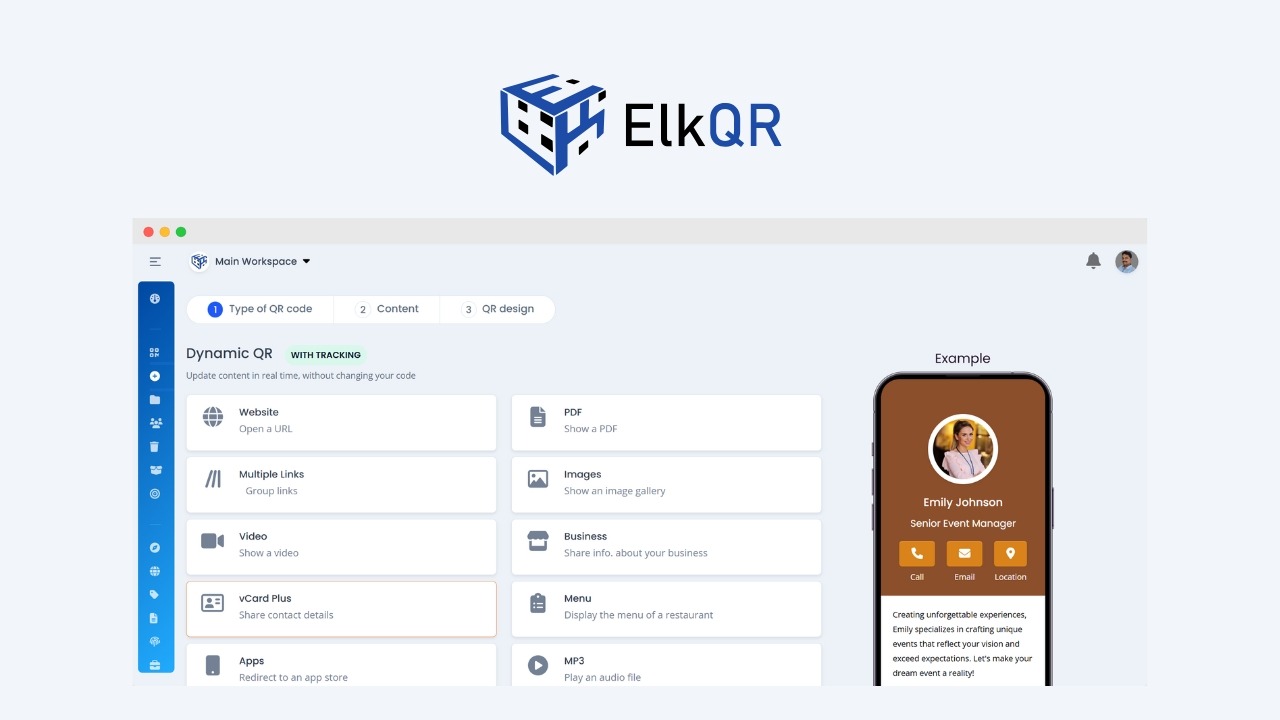
ElkQR helps you create, customize, and track QR codes in a way that actually fits into your workflow. If you run events, manage marketing campaigns, or need dependable short links, you can spin up branded QR codes, add logos, and choose from multiple QR types without fuss. For everyday use you might generate codes for menus, product sheets, or event handouts; for special occasions you can create campaign-specific codes that tie back to analytics so you can see which placements actually performed.
The interface is clean and approachable, and the team ships features steadily — so you’ll notice gradual improvements rather than sudden surprises. Practical touches like bulk creation, multiple workspaces, custom domains (CNAME), and unlimited scan retention make it easy to scale from a solo side project to something your whole team relies on.
If you want a low-friction way to use dynamic QR codes and real-time stats to inform decisions, ElkQR is worth trying.
What People Say
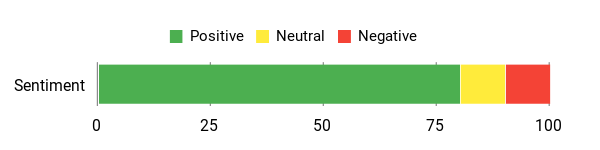
You’ll hear people praise the clean interface, dependable dynamic QR codes, and helpful support. Users like that analytics and unlimited scan retention let them track campaign performance.
Common requests mention occasional UI quirks for specific QR types (for example video links) and simple landing/booking tools that may not replace more dedicated solutions.
Overall Sentiment: Positive
🗣️ dujon
The interface is super easy and intuitive, and I’ve used ElkQR extensively. Support gives fast, clear instructions when you need help, and the product felt like solid value for what I got.
🗣️ milenapop
In our small PR/marketing team ElkQR brought order and reliable dynamic QR codes. Landing pages are very simple but the core QR reliability and tracking are what made it useful for everyday campaigns.
Usability
| Aspect | Ease Level | Notes |
|---|---|---|
| Onboarding | Easy | Most users report a quick start and an intuitive dashboard that gets you making codes fast. |
| QR Creation | Very Easy | Creating and customizing standard QR codes is straightforward and quick. |
| Customization | Easy | Branding options like logos and colors are available, though advanced landing page edits are basic. |
| Bulk Operations | Moderate | Bulk creation works well for many use cases but has row limits you should check before large uploads. |
| Team Management | Easy | Workspaces and team members make it simple to share projects across a small team. |
Performance & Speed
ElkQR uses a global CDN so scans are normally fast and reliable from different regions. For most event and marketing uses you’ll get low-latency scanning and high uptime, though actual performance depends on your audience location and network.
Integrations
| Software | Integration Quality |
|---|---|
| Custom Domains (CNAME) | Good — supports custom domains to keep links on-brand |
| YouTube / Video Links | Mixed — video QR codes can work but some users reported UI issues that affected creation |
| Zapier | Good — useful for connecting QR events to other tools and automations |
| Analytics / Reporting | Very Good — built-in analytics and unlimited stat retention help track campaigns reliably |
Collaboration
Supports multiple workspaces, team members, and shared projects so you can divide tasks, centralize QR assets, and let teammates manage their own codes.
Reporting & Analytics
Includes detailed scans, source tracking, and unlimited stat retention so you can measure placement effectiveness and refine campaigns over time.
Support
Support is responsive and provides clear guidance for common tasks; a few users noted that fixes for UI issues can take time and don’t always have exact ETAs.
Key Benefits
- Create branded QR codes with logos and multiple QR types
- Unlimited QR codes and scan retention so your links stay reliable
- Detailed analytics to see which placements and campaigns work
- Global CDN for fast, low-latency scanning
- Bulk creation and multiple workspaces for team workflows
- Supports custom domains (CNAME) and multiple team members
Rating: 4.86 (total: 173+)
FormDesigner

FormDesigner makes building web forms feel straightforward and under your control. You can drag and drop fields to create contact forms, surveys, calculators, appointment and booking forms, or full event registration pages without calling a dev.
For everyday use, set up simple contact forms or quick surveys that capture email and deliver messages to your inbox; for special events, build multi-step registration forms with conditional logic, payment-ready fields, and URL redirects so you can track conversions. The tool is responsive out of the box, offers templates and the ability to save custom templates, and lets you add CSS or custom code when you need more polish. Webhook support and integrations mean data flows to your CRM, email platform, or tools like Boost.Space, so your forms plug into the systems you already use.
Support is reported as responsive and hands-on, and users who switched from older form builders found the flexibility and reliability a noticeable upgrade. If you want a low-friction way to build reliable, customizable forms that scale from a single contact form to complex event workflows, FormDesigner is easy to live with and practical to recommend.
What People Say
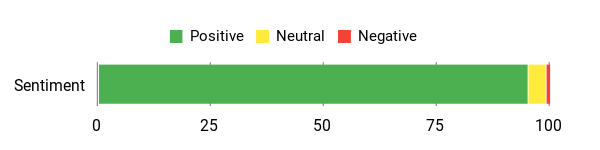
Users praise the flexibility and reliability — especially webhook support, template saving, and responsive customer care. Many who migrated from older tools highlight FormDesigner’s conditional logic and automation as the biggest wins, with a few noting quick turnaround on small feature requests.
Overall Sentiment: Positive
🗣️ info0744b
Handled advanced customization and webhooks that other plugins lacked. I rebuilt a complex form, added custom CSS, saved it as a template, and connected it to Boost.Space and my email platform — both pulled data smoothly. Support replies came quickly and thoughtfully from the founder.
🗣️ Alechko
Replaced a long-used form provider for complex forms; it supports intensive conditional logic, field and email automation. Support added a missing currency for a payment gateway within a few days, showing the team moves on useful requests.
Usability
| Aspect | Ease Level | Notes |
|---|---|---|
| Onboarding | Easy | Most people can start building simple forms quickly with the drag-and-drop editor. |
| Form Building | Easy | Creating basic and multi-step forms is intuitive; templates speed up common use cases. |
| Customization | Moderate | Custom CSS and code are available when you need them, which helps if you want exact styling. |
| Advanced Logic | Moderate | Conditional rules and calculation fields work well but take a little time to set up for complex flows. |
| Embedding & Deployment | Easy | Embedding on WordPress or other sites is straightforward and works reliably for most themes and builders. |
Performance & Speed
Forms are generally snappy and handle complex conditional logic without noticeable lag. Submission handling and redirects have been reported as reliable, making it suitable for both small contact forms and larger event registration workflows.
Integrations
| Software | Integration Quality |
|---|---|
| Webhooks | Very Good — reliable data delivery to custom endpoints |
| Email Platforms / CRM | Very Good — commonly used email tools pull submissions cleanly |
| WordPress / Page Builders | Good — embeds and compatibility with builders like Divi are reported to work well |
| Payment Gateways | Good — supports payment fields and the team has addressed gateway-related issues quickly |
Collaboration
You can save and share templates, use a custom subdomain, and add teammates through shared projects. Templates and reusable components make it easy to keep consistency across forms when more than one person is working on them.
Reporting & Analytics
Submission records, redirects for conversion tracking, and simple export options let you track responses and connect them to your analytics. Features like URL redirect and autofill for returning visitors help with conversion tracking and user convenience.
Support
Support is responsive and hands-on; reviewers specifically noted direct replies from the founder and quick resolution for practical issues like adding a missing currency for a gateway.
Key Benefits
- Build forms with a drag-and-drop editor — no designer or programmer needed
- Support for advanced conditional logic, calculations, and custom code
- Webhook and integrations to send data to CRM and email tools
- Save and reuse templates to speed up repeat builds
- Responsive forms that work on desktop and mobile
- Embedding and WordPress-friendly behavior for landing pages and sites
Rating: 4.89 (total: 38+)
FAQ
How Do I Choose The Right Platforms For My Event?
You start by matching the platform strengths to the goals of your event. If you want immersive, branded meeting rooms with frictionless guest access, consider GoBrunch; if you need multi-track webinars, expos, or a highly customizable virtual conference experience, look at BeHuman.Online; if collecting attendee photos and videos with a simple QR is a priority, Memogram is built for that use case; ElkQR is ideal when you need dependable, trackable QR codes across on-site materials; and FormDesigner covers advanced registration, surveys, and webhook workflows. Check technical needs like browser and mobile support, attendee capacity, recording and analytics, and whether you need white‑labeling or custom domains. The most common mistake is picking a single tool hoping it will solve every need; instead, choose a primary platform for your core experience and add one or two specialists to handle media collection, QR tracking, or advanced forms.
Will These Platforms Integrate With My Existing Tools And Workflows?
Most modern event platforms support integrations but the methods differ, so you should verify connectors before committing. Look for native integrations or Zapier support, available webhooks for real‑time data, CSV or Excel exports for registrations and attendance, and options to sync media to cloud storage like Google Drive. Also confirm domain/CNAME support, API access for custom workflows, and how attendee data is retained and exported for CRM import or reporting.
Don’t assume every platform offers the same level of white‑labeling or webhook depth; test your critical integrations in a sandbox to ensure registration emails, attendance reports, and recorded sessions flow into your systems as expected.
What Practical Steps Should I Take To Deploy These Platforms Smoothly?
Run a small pilot with internal users to validate layout, breakouts, streaming, QR scans, and form flows before inviting attendees. Assign clear roles such as host, technical producer, and moderators so someone always controls recordings, breakout rooms, and moderation tools. Prepare simple attendee instructions that highlight one‑click entry or QR scanning steps, confirm device and browser compatibility, and set retention and moderation policies for media and chats.
Use FormDesigner to collect pre‑event data and post‑event feedback, use ElkQR or Memogram to capture on-site media, and schedule a full technical rehearsal with speakers to test transitions and backups. Finally, keep a fallback plan for streaming or login issues and brief your support team so you can resolve problems quickly during the event.
Customer Favorites
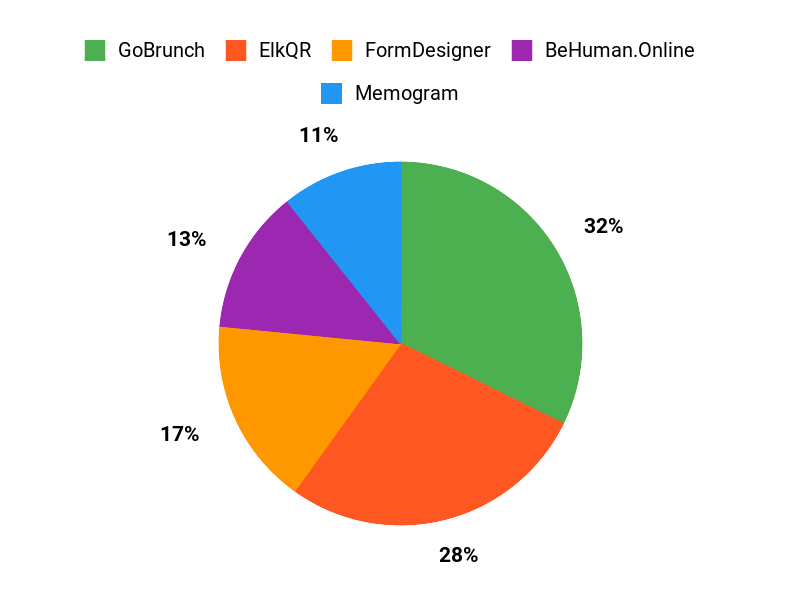
You’ll usually prioritize ease of setup and the attendee experience — how quickly you can onboard hosts and participants and whether the platform offers engagement tools like breakout rooms, polls, and networking spaces. You’ll also weigh customization and branding, analytics and integrations with your tech stack, plus pricing and support so you can choose the best fit for webinar-scale broadcasts (GoBrunch), high-engagement interactive sessions (Memogram), or community-driven, personalized experiences (BeHuman.Online).
Wrapping Up
You now have a clear, practical set of choices depending on what part of event management you want to improve. BeHuman.Online ($49) is our pick if you want a full-featured, web-based event platform for conferences and expos.
GoBrunch ($89) is best when attendee engagement and branded, interactive rooms matter. Use Memogram ($49) to collect and centralize guest photos and videos, and pair it with ElkQR ($39) to distribute QR codes and track scans. Finally, use FormDesigner ($59) to handle registrations, surveys, and advanced form logic. Combine one platform for event delivery, one for media capture, and one for registration to create a streamlined event workflow that saves you time and improves attendee experience.
| Product | Image | Rating | Main Highlights | Pricing Plans | Best For |
|---|---|---|---|---|---|
| GoBrunch | | 4.86/5 (307 reviews) |
| plans: {“price”=>”$89”, “features”=>[“One-time payment”, “Access to all features”, “Unlimited usage”], “original_price”=>”$870”} |
|
| Memogram | | 4.27/5 (22 reviews) |
| plans: {“price”=>”$49”, “features”=>[“20 events set up annually”, “30 days media expiration”, “User-friendly dashboard”], “original_price”=>”$149”}, {“price”=>”$99”, “features”=>[“Unlimited events”, “No expiration of media”, “Advanced storage options”], “original_price”=>”$249”} |
|
| BeHuman.Online | | 4.86/5 (21 reviews) |
| plans: {“price”=>”$49”, “features”=>[“Unlimited events”, “500 registrations per event”, “Integrated AWS features”], “original_price”=>”$192”}, {“price”=>”$98”, “features”=>[“700 registrations per event”, “Event polls and voting”, “Custom logo for each event”], “original_price”=>”$948”} |
|
| ElkQR | | 4.86/5 (173 reviews) |
| plans: {“price”=>”$39”, “features”=>[“Unlimited QR codes”, “10 custom domains”, “2GB of storage”], “original_price”=>”$290”}, {“price”=>”$78”, “features”=>[“40 workspaces”, “40 custom domains”, “40 team members”], “original_price”=>”$580”} |
|
| FormDesigner | | 4.89/5 (38 reviews) |
| plans: {“price”=>”$59”, “features”=>[“Unlimited forms”, “1,000 submissions per month”, “Custom subdomain”], “original_price”=>”$1159”} |
|
This Article is reader-supported. When you click through links we may earn a referral commission on qualifying purchases.