

Email verification is one of the simplest ways you can protect deliverability, reduce wasted sends, and keep your sender reputation intact. If you rely on cold outreach, newsletter signups, or lead lists, cleaning addresses before you send will help you reach more inboxes and get better campaign ROI.
This guide helps you compare five proven tools so you can pick the one that fits your volume, budget, and technical needs.
Top Picks
| Category | Product | Price | Score |
|---|---|---|---|
| 🏆 Best Overall | Reoon Email Verifier | $79 | 95/100 |
| 💰 Best Value | EmailVerify.io | $59 | 87/100 |
| ⚡ Best Performance | ZeroBounce Email Verification | $89 | 85/100 |
| 🎯 Best For Beginners | MailVerify | $69 | 70/100 |
| ⚠️ Use With Caution | Email List Validation | $59 | 35/100 |
How We Picked These Tools
You want a verifier that actually reduces bounce rates and integrates cleanly into your workflow. We evaluated tools based on accuracy, handling of catch-all and disposable addresses, API reliability, bulk-processing speed, pricing and credit flexibility, integrations (Zapier, CRMs, signup forms), user experience, and vendor support/security.
We also weighed real user feedback so you can see which tools deliver consistently and which have reported reliability issues.
Reoon Email Verifier
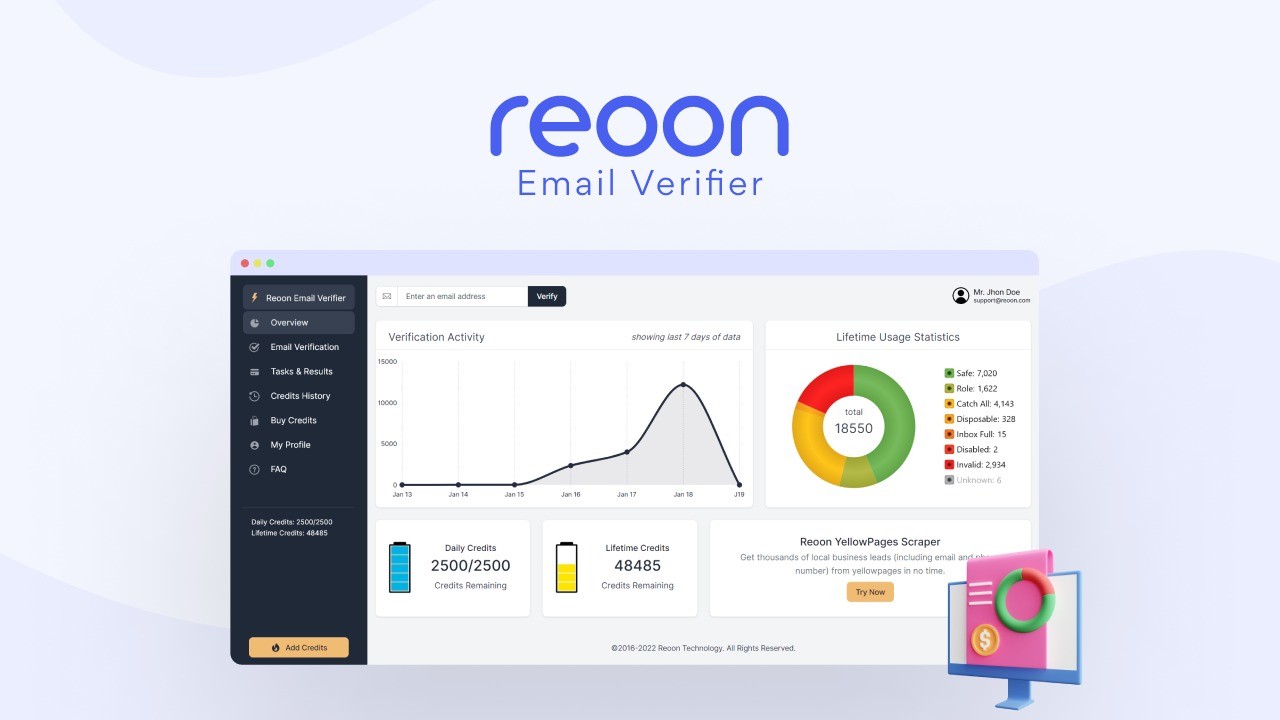
Reoon is a straightforward email verification tool that helps you keep your lists clean without a steep learning curve. You can drop in large CSVs, run bulk checks, or verify addresses in real time via the API—handy whether you’re doing daily outreach or preparing a big campaign. It flags invalid, disposable, and risky addresses, and gives you exportable results so you can act fast.
If you’re focused on lowering bounces and protecting sender reputation, Reoon is worth trying; it feels practical and built for real workflows rather than flashy extras.
What People Say
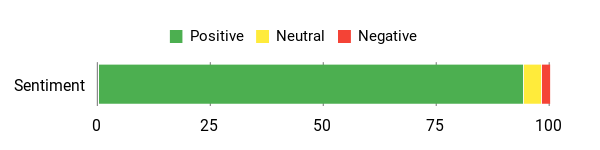
Users report big reductions in bounce rates and appreciation for bulk processing and the API. Many note it’s easy to use and handles large lists without slowing down, which makes it reliable for ongoing outreach.
Overall Sentiment: Positive
🗣️ OmniDynamic
So, I had been on the hunt for a solid email cleaner, validating deliverability, getting rid of any emails that had a chance at dinging my reputation. I had been shopping a couple of the known leaders in the space and as usual, I was running into higher priced great solutions, and lower end not so good solutions, and I like to really compare. For me, Reoon gave me the ultimate value prop, and it has exceeded my expectations. I couldn’t find any reason not to give it a shot, and I am really glad I did. Reoon has delivered a tremendous value and I’m extremely happy with it. If you’ve got big numbers, then Reoon is an even better choice in my opinion. Thanks for the amazing deal with a top notch email validation tool, Reoon+AppSumo!
🗣️ 117923080750469173677
I’ve been using Reoon Email Verifier for my wholesale business operations, and it has completely transformed my email marketing efficiency. As someone who processes thousands of email addresses from supplier and distributor outreach, I needed a reliable solution that could handle bulk verification without breaking the bank. The accuracy rate is exceptional – I’ve seen a dramatic reduction in bounce rates since implementing Reoon. The bulk processing feature handles large lists effortlessly, the interface is intuitive without requiring a steep learning curve, and the processing speed is impressive even with lists containing 10,000+ emails. The cost-effectiveness compared to other premium services, excellent customer support, and seamless export options make this tool an absolute game-changer for anyone running email outreach campaigns or managing large contact databases.
Usability
| Aspect | Ease Level | Notes |
|---|---|---|
| Interface | Easy | Clean, minimal UI that makes bulk uploads and exports straightforward. |
| Bulk Verification | Easy | Handles large lists (10k+) efficiently according to users. |
| Learning Curve | Low | Intuitive features; most users are productive after a quick run-through. |
| Support | Responsive | Customer support mentioned positively in multiple reviews. |
Performance & Speed
Fast processing for bulk lists; users report smooth handling of 10k+ rows.
Integration Capabilities
| Software | Integration Quality |
|---|---|
| API | High |
| Pabbly | Good |
| CSV Export | Straightforward |
Security Features
| Feature | Protection Level |
|---|---|
| SMTP Validation | High |
| Disposable Email Detection | High |
| Syntax and Domain Checks | High |
| Temporary Email Flagging | Moderate |
Collaboration Features
Exportable results and API access let you share cleaned lists or integrate verification into team workflows.
Reporting & Analytics
Provides verification status breakdowns and exportable reports so you can track list health over time.
Key Benefits
- High accuracy in spotting invalid and temporary addresses
- Bulk processing that handles large lists smoothly
- Real-time verification via API for live signups
- Easy exports to act on cleaned lists quickly
Rating: 4.94 (total: 704+)
Email List Validation
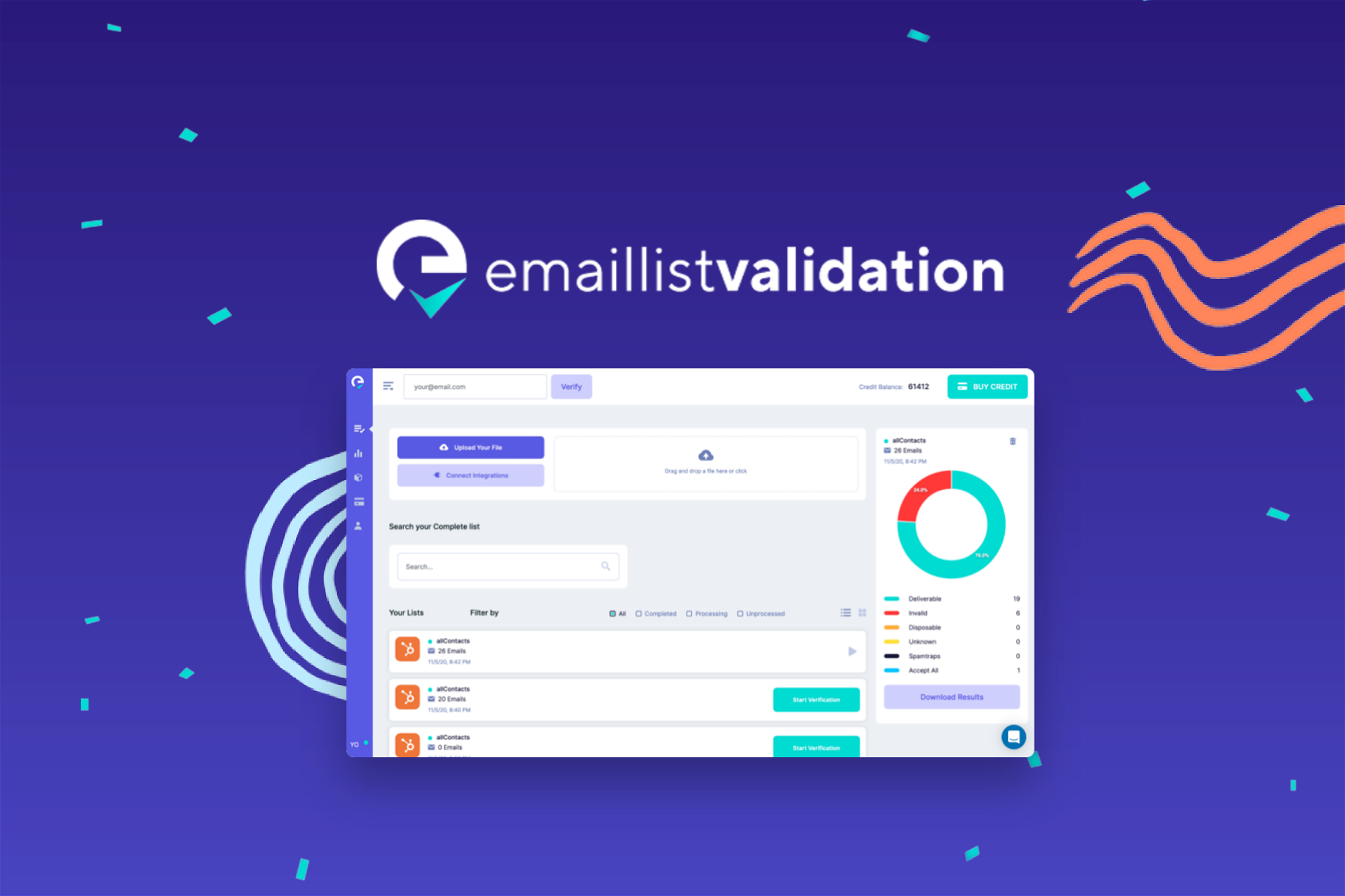
Email List Validation promises a straightforward way to scrub bad addresses from your lists so your campaigns land where they should. You can use the web-based validator for quick, manual checks and the service advertises an API and verification modes (Quick Mode / Power Mode) for deeper checks.
In day-to-day work you might run a quick scrub before sending weekly outreach or use the web tool to spot-check signups. For special projects — launches, holiday campaigns, or large re-engagement pushes — the idea is the same: remove abandoned and invalid accounts to protect your sender reputation. Practically speaking, the web UI can be useful for ad-hoc cleanups, but multiple users report reliability and support problems with the API, so treat the automated flows with caution.
If you want a simple web tool for spot-checks and small list cleans, this can do the job; if you need rock-solid API automation, the current experience may frustrate you.
What People Say
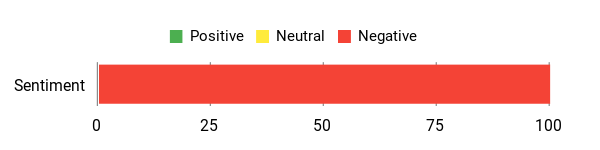
Users consistently report that the web-based validator can return valid results when used manually, but most of the detailed feedback warns about repeated downtime, a broken or unreliable API, and unresponsive customer support. Several reviewers describe the vendor’s contact links and help center as nonfunctional, which makes troubleshooting difficult.
Overall Sentiment: Negative
🗣️ contact9118
When I tested emails manually on the website, the web validator returned accurate “valid” results for addresses that otherwise caused trouble, so the web tool itself can be useful for spot checks.
Usability
| Aspect | Ease Level | Notes |
|---|---|---|
| Interface | Moderate | The web UI allows manual checks and list scrubs, but reviewers mention the site can break or be unavailable at times. |
| API | Broken | Multiple users report the API returns “unknown” where the web tool returns valid results; automation is unreliable. |
| Bulk Verification | Limited | Bulk workflows are advertised, but user reports focus more on manual web checks; reliability for large automated jobs is unclear. |
| Support | Unresponsive | Several reviewers say support ignored requests and the vendor’s contact options were broken. |
| Learning Curve | Low | If the web tool is available, it’s straightforward to use for basic verification tasks. |
Performance & Speed
Inconsistent — the web validator can return quick results for manual checks, but reported downtime and API failures make automated performance unreliable.
Integration Capabilities
| Software | Integration Quality |
|---|---|
| API | Unreliable / Reported failures |
| Web Validator | Works for manual use |
| CSV Upload | Advertised but reliability depends on overall service availability |
Security Features
| Feature | Protection Level |
|---|---|
| GDPR Compliance | High |
| Quick / Power Verification Modes | Variable |
| Manual Web Validation | Moderate |
Collaboration Features
On paper the product supports API-driven checks and list exports so teams can integrate verification into workflows; in practice reviewers warn the API is unreliable and support is hard to reach.
Reporting & Analytics
Basic verification labels and status are available in the web interface and can be used to export cleaned lists, but there’s little evidence reviewers could rely on automated reporting due to service interruptions.
Key Benefits
- Quick manual web-based verification for spot checks
- Advertised API for real-time verification (users report inconsistencies)
- Helps reduce invalid addresses and protect sender reputation when the web tool is usable
- GDPR-compliant handling noted in product features
Rating: 3.21 (total: 243+)
ZeroBounce Email Verification
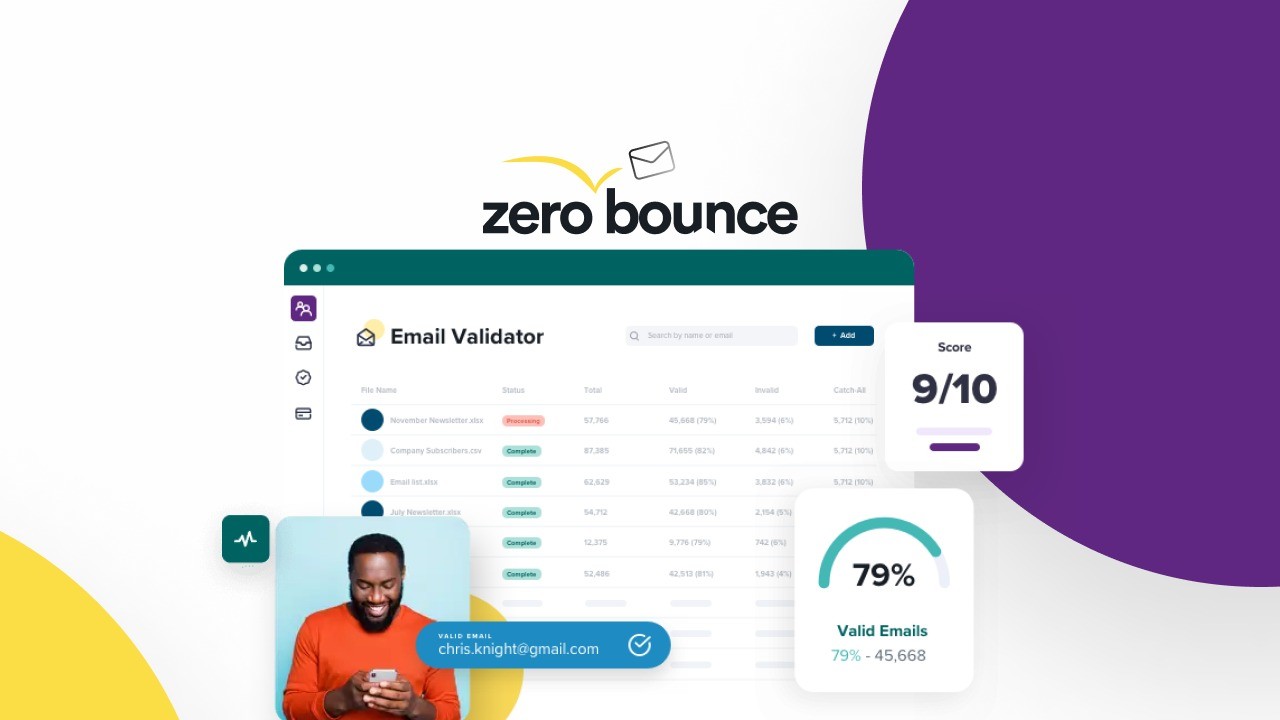
ZeroBounce positions itself as a full email hygiene and deliverability partner — not just a validator. You can use it for quick, daily list scrubs before your weekly outreach or plug it into automated flows for larger campaigns.
It offers tools like an email finder, Activity Data to spot recently active subscribers, inbox placement testing, and blacklist monitoring, so you can diagnose deliverability problems and keep your sender reputation healthy. In practical terms, run a fast cleanup when you import new leads, use Activity Data for re-engagement pushes, and employ inbox placement tests for big launches or seasonal campaigns.
If you’re juggling growth and deliverability, ZeroBounce feels like a practical, well-rounded choice that handles both routine scrubs and more strategic checks.
What People Say
Most users praise ZeroBounce for reliable list verification, strong integration with WordPress, and a robust set of extra tools that go beyond simple validation. A handful mention edge cases—catch-all addresses can be tricky and one reviewer reported unexpected “valid” results that led to bounces—so be mindful when you automate large jobs and monitor initial campaign results.
Overall Sentiment: Positive

🗣️ admi99
This is my like 5th email validating software. It was always something missing or not working. Most of the software is just a trash. This one is a gem amongs other similar LTD. Worth every penny spent. I just works! It integrates with wordpress seamlessly.
🗣️ pthft
I’ve used several list verification tools in the past. Result: valid addresses risked being unsubscribed. If you want to stand out as an email marketeer (and avoid remarks like ‘I just mailed that person at the address you mention as invalid’), ZeroBounce is the way to go. Plus: they offer several extra functionalities, what makes it a really complete toolset for email marketeers.
Usability
| Aspect | Ease Level | Notes |
|---|---|---|
| Interface | Easy | The web UI is straightforward for manual checks and single-list uploads; good for spot cleans before sends. |
| API | Good | API supports real-time checks and multiple keys; generally reliable but monitor catch-all handling in your workflows. |
| Bulk Verification | Easy | Handles large uploads and credits well — suitable for routine list scrubs and bigger campaign prep. |
| Support | Responsive | Support interactions exist (there is a vendor reply in reviews), though individual experiences vary. |
| Learning Curve | Low | Basic tasks are quick to pick up; extra features like inbox testing may need a bit of setup. |
Performance & Speed
Fast for single checks and bulk jobs; most users report quick processing and responsive APIs, though pay attention to initial campaign bounces for catch-all addresses.
Integration Capabilities
| Software | Integration Quality |
|---|---|
| API | Robust — multiple API keys and real-time checks are supported |
| WordPress | Seamless — users report easy integration with WordPress |
| CSV Upload | Reliable — bulk uploads and one-time credit processing work well for large lists |
| Major ESPs / CRMs | Good — built to fit into standard email and CRM workflows |
Security Features
| Feature | Protection Level |
|---|---|
| Secure Email Validation | High |
| GDPR Compliance | High |
| IP Address Geo Location | Moderate |
Collaboration Features
Multiple API keys, exports, and reporting allow teams to share cleaned lists and integrate verification into shared workflows, making it practical for sales and marketing teams to collaborate.
Reporting & Analytics
Includes Activity Data, email scoring, and inbox placement testing so you can prioritize active subscribers and track deliverability trends rather than just single-pass validation results.
Key Benefits
- High-accuracy email validation to reduce bounces and protect sender reputation
- Activity Data helps you target recently active subscribers for better engagement
- Inbox placement tests and email scoring to diagnose deliverability issues
- Multiple API keys and email finder for flexible integrations and list growth
- Extras like blacklist monitoring and IP geolocation for more context
Rating: 4.11 (total: 5+)
Emailverify.io
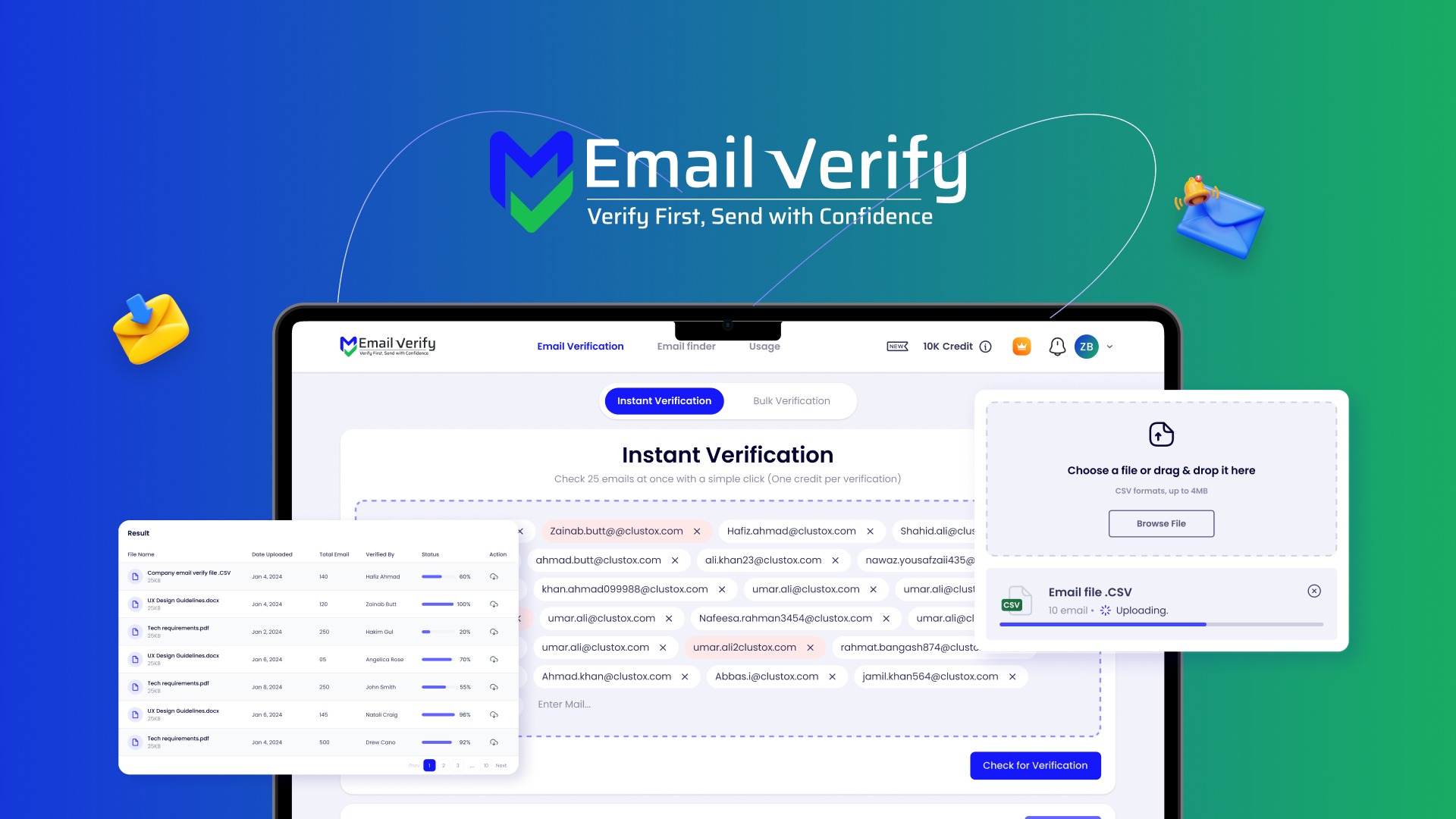
If you hate chasing bounced emails, EmailVerify.io feels like the cleanup crew you actually want on your side. You can verify addresses one-by-one or run bulk scrubs when you import new leads, which is handy for daily list maintenance.
It also offers a straightforward API so you can plug verification into a custom lead manager or an automated workflow — users report verifications happening in seconds. For bigger moments, like product launches or seasonal campaigns, run a full scrub to reduce bounces and protect your sender reputation.
The team is responsive — there are accounts of feature requests being implemented quickly — and the tool supports shared credits and Zapier hookups, so it works well for small teams and agencies as well as solo marketers. If you want a no-nonsense service that gets lists cleaner fast and plays nicely with your apps, this is a practical pick.
What People Say
Users appreciate how quickly verifications happen via the API and praise the support for resolving issues fast. People also note the founder’s responsiveness and the practical shared-credit model for teams. A smaller number of users point out plan-limit confusion, so double-check account limits when you scale up.
Overall Sentiment: Positive

🗣️ BuckStar
I tested EmailVerify and found the verification quality solid compared to another service I use. The founder was responsive — after a chat he added requested features within a week. I liked the results enough to buy more codes.
🗣️ office840
Signup hiccup at first, but support fixed it within minutes. I hooked the API into a proprietary lead manager and verifications ran in seconds during initial tests. So far the experience has been excellent.
Usability
| Aspect | Ease Level | Notes |
|---|---|---|
| Interface | Easy | Web UI is straightforward for uploads and spot checks — good for quick pre-send scrubs. |
| API | Good | Designed for developers and apps; users report fast responses and simple integration steps. |
| Bulk Verification | Easy | Handles large imports and one-time credit usage efficiently for routine list cleans. |
| Support | Responsive | Support fixed signup issues quickly and the team has added requested features in short order. |
| Learning Curve | Low | Basic tasks are quick to pick up; integrating into custom apps needs minimal developer work. |
Performance & Speed
Fast for both single checks and bulk jobs — reviewers note API verifications happening within seconds, though you should check daily limits if you’re running very large jobs.
Integrations
| Software | Integration Quality |
|---|---|
| API | Solid — real-time checks and easy to plug into custom lead managers |
| Zapier | Good — makes basic automations and third-party app connections simple |
| CSV Upload | Reliable — bulk uploads work well for one-off scrubs |
| Major ESPs / CRMs | Compatible — fits into usual email and CRM workflows via API or Zapier |
Security
| Feature | Protection Level |
|---|---|
| Secure Email Validation | High |
| Data Handling Controls | Moderate |
| Account Access Controls | Moderate |
Collaboration
Shared credits and account-level access make it easy for teams to pool verification resources and hand off cleaned lists between marketing and sales.
Reporting & Analytics
Provides verification results and status breakdowns so you can see invalid, risky, and valid addresses at a glance; useful for prioritizing re-engagement and tracking campaign-ready lists.
Key Benefits
- Fast single and bulk email verification to reduce bounces and improve deliverability
- API-first approach so you can integrate checks into a lead manager or automation
- Shared credits and Zapier support for simple team workflows
- Responsive support and a vendor willing to iterate on requested features
- Handles routine scrubs and larger campaign preparation with the same workflow
Rating: 4.33 (total: 3+)
MailVerify

MailVerify is a straightforward email-checking tool that helps you clean up lists quickly. You can use it for everyday list maintenance — a quick scrub before a campaign or a spot check when you import new leads.
For big moments, like a product launch or a seasonal push, run a full list pass to reduce bounces and protect your sender reputation. The interface feels uncluttered and focused, so you can get verifications done without a steep learning curve. If you want a no-nonsense service to tidy up your leads and keep deliverability steady, MailVerify is worth trying.
What People Say
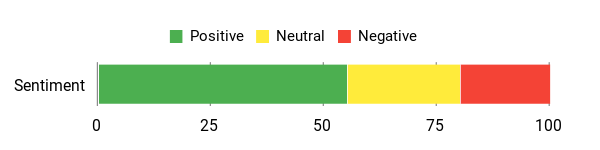
People tend to highlight the speed and simplicity of the checks — it gets lists cleaner fast. Some users would like deeper integrations or clearer limits as they scale, so double-check how it fits into your workflow before committing to large, recurring runs.
Overall Sentiment: Mixed
Usability
| Aspect | Ease Level | Notes |
|---|---|---|
| Interface | Easy | The UI is minimal and focused, so you can upload lists and view results without hunting through menus. |
| API | Good | Developer-friendly endpoints make it possible to plug verification into your lead pipeline with reasonable effort. |
| Bulk Verification | Easy | Handles large imports smoothly for one-time scrubs or periodic maintenance. |
| Support | Responsive | Support is reachable and tends to help with setup questions and account issues. |
| Learning Curve | Low | Basic tasks are quick to pick up; more complex automations need some technical setup. |
Performance & Speed
Generally fast for both single lookups and bulk jobs; verifications complete quickly, though you should confirm daily or plan limits if you’re processing very large lists.
Integrations
| Software | Integration Quality |
|---|---|
| API | Solid — supports integrating checks into custom lead workflows |
| CSV Upload | Reliable — simple for bulk uploads and one-off scrubs |
| Zapier | Good — useful for basic automations and connecting to common apps |
| Major ESPs / CRMs | Compatible — fits standard email and CRM workflows via API or exports |
Security
| Feature | Protection Level |
|---|---|
| Secure Email Validation | High |
| Data Handling Controls | Moderate |
| Account Access Controls | Moderate |
Collaboration
Simple account access and list exports make it easy for teammates to share cleaned lists and hand off leads between marketing and sales.
Reporting & Analytics
Returns clear status breakdowns (valid, risky, invalid) so you can prioritize follow-ups and see campaign-ready lists at a glance.
Key Benefits
- Instant checks to cut down bounce rates and improve inbox placement
- Quick list scrubs that fit into pre-send workflows
- Works well for one-off cleanups and routine maintenance
- Simple interface that gets you from upload to results fast
- Good option when you need to protect sender reputation for campaigns
Rating: 3.67 (total: 6+)
FAQ
How Do I Choose The Right Email Verification Tool For Lead Gen?
You should pick a tool based on five practical factors: accuracy, integration options, API reliability, support and uptime history, and the specific verification features you need (catch-all handling, disposable address detection, role email flags, blacklist checks). Start by running a small, representative sample of your list through each candidate so you can compare real-world accuracy and how they label catch-all or unknown addresses.
Check the API docs and test live calls if you plan to verify at signup, and look for evidence of reliable integrations (for example, vendors that support Zapier, Pabbly, or direct CRM connectors). Read recent user feedback to spot red flags: some services have reports of downtime or poor support, while others get consistently high marks for bulk speed and integration. Finally, choose a provider whose verification output maps cleanly to your workflow so you can automate actions like suppression, reverify scheduling, or segmented sends.
Will Email Verification Really Reduce Bounces And Improve Deliverability?
Yes, verification reduces obvious bounces and helps protect your sender reputation, but it’s not a magic bullet. You’ll cut bounce rates by removing invalid, disposable, and malformed addresses, which leads to better deliverability and engagement over time.
Understand the limitations: catch-all domains and some mail servers produce an “unknown” or ambiguous result that can’t be 100% validated; different providers may label those differently, so test how they return catch-all results and decide whether you treat them as risky or usable. Also include checks for temporary or role addresses and maintain a suppression list for hard bounces. To keep results meaningful, reverify older segments on a schedule and stop sending to repeatedly low-engagement groups. These practical steps let verification tools deliver the reputation benefits you expect.
How Do I Integrate And Use These Tools In Real-World Lead Workflows?
You should verify at the point of capture and also run periodic bulk cleans. Implement real-time API calls or webhooks for signups so you can prompt users to correct bad addresses immediately, and automate bulk verification before major campaigns so high-risk addresses are quarantined.
Store verification status in your CRM so you can filter or suppress low-quality contacts and create workflows that reverify high-risk segments every 30 to 90 days depending on your churn. When you test integrations, start small: verify a sample list, confirm API response mappings, and validate daily or hourly limits and quota behavior with the vendor so you don’t hit unexpected caps.
If you rely on third-party automation tools, confirm integrations work (some users report smooth Pabbly or Zapier setups while others warn of flaky APIs), and always keep a backup of original lists before mass edits. Finally, track bounce metrics and engagement after cleanup to measure the ROI and fine-tune your verification rules.
What Customers Prefer
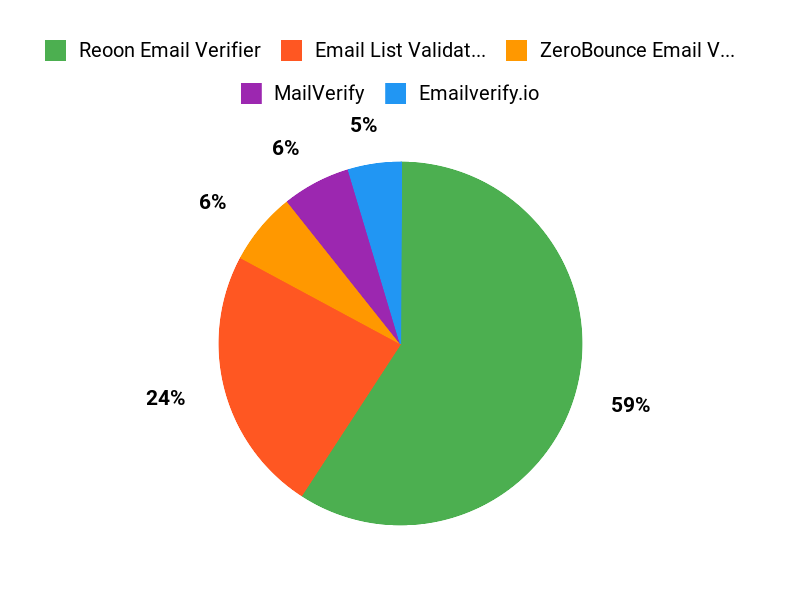
When weighing Reoon Email Verifier, Email List Validation, and ZeroBounce, you typically prioritize accuracy and deliverability — you want reliable validation that catches spam traps and abuse addresses while minimizing false positives so your bounce rates stay low. You also care about integration and workflow fit (API and CRM connectors), speed and pricing for large lists, and extras like catch-all handling, SMTP checks, and responsive support that make the tool easier to use and more valuable for lead gen.
Wrapping Up
Quick takeaway: if you need a reliable, cost-effective email verifier that scales with list size, Reoon is the best overall pick at $79. If budget and API flexibility matter most, EmailVerify.io at $59 gives you strong value. ZeroBounce ($89) is the choice when you want advanced deliverability features. MailVerify is a simple on-ramp if you are just getting started.
Avoid Email List Validation until their uptime and support issues are resolved. Pick the tool that matches your volume, integrations, and tolerance for manual work versus automation so you spend less time chasing bounces and more time engaging real leads.
| Reoon Email Verifier | Email List Validation | ZeroBounce Email Verification | |
|---|---|---|---|
| | | |
| Rating | 4.94/5 (704 reviews) | 1.0/5 (243 reviews) | 4.11/5 (9 reviews) |
| Unique Highlights |
|
|
|
| Support | Excellent customer support with quick response times | Poor customer support and frequent service outages reported | Good support with positive feedback from users |
| Check Availability | Check Availability | Check Availability |
This Article is reader-supported. When you click through links we may earn a referral commission on qualifying purchases.